> ## Documentation Index
> Fetch the complete documentation index at: https://docs.corbado.com/llms.txt
> Use this file to discover all available pages before exploring further.
# Google Chrome Virtual Authenticator
> As a developer it might be helpful to use the Google Chrome WebAuthn emulator. It allows you to test the WebAuthn API with a virtual authenticator.
## How to activate the virtual authenticator
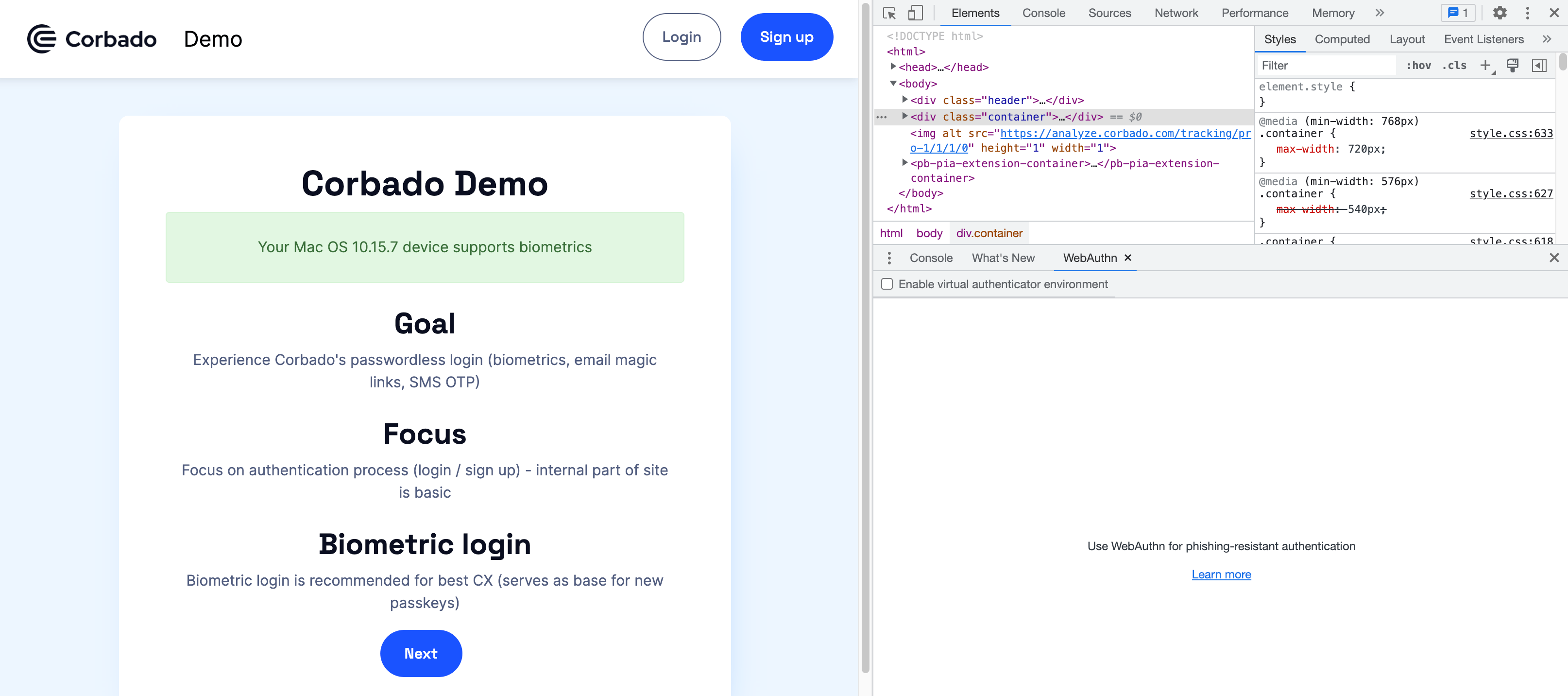
1. Visit the Corbado [Demo Page](https://passkeys.eu) with the Google Chrome browser
2. Open the Google Chrome DevTool by right clicking anywhere on the webpage and click on 'inspect'
3. Click **More Options** > **More tools** > **WebAuthn** to open the WebAuthn tab
 ## Enable the virtual authenticator environment
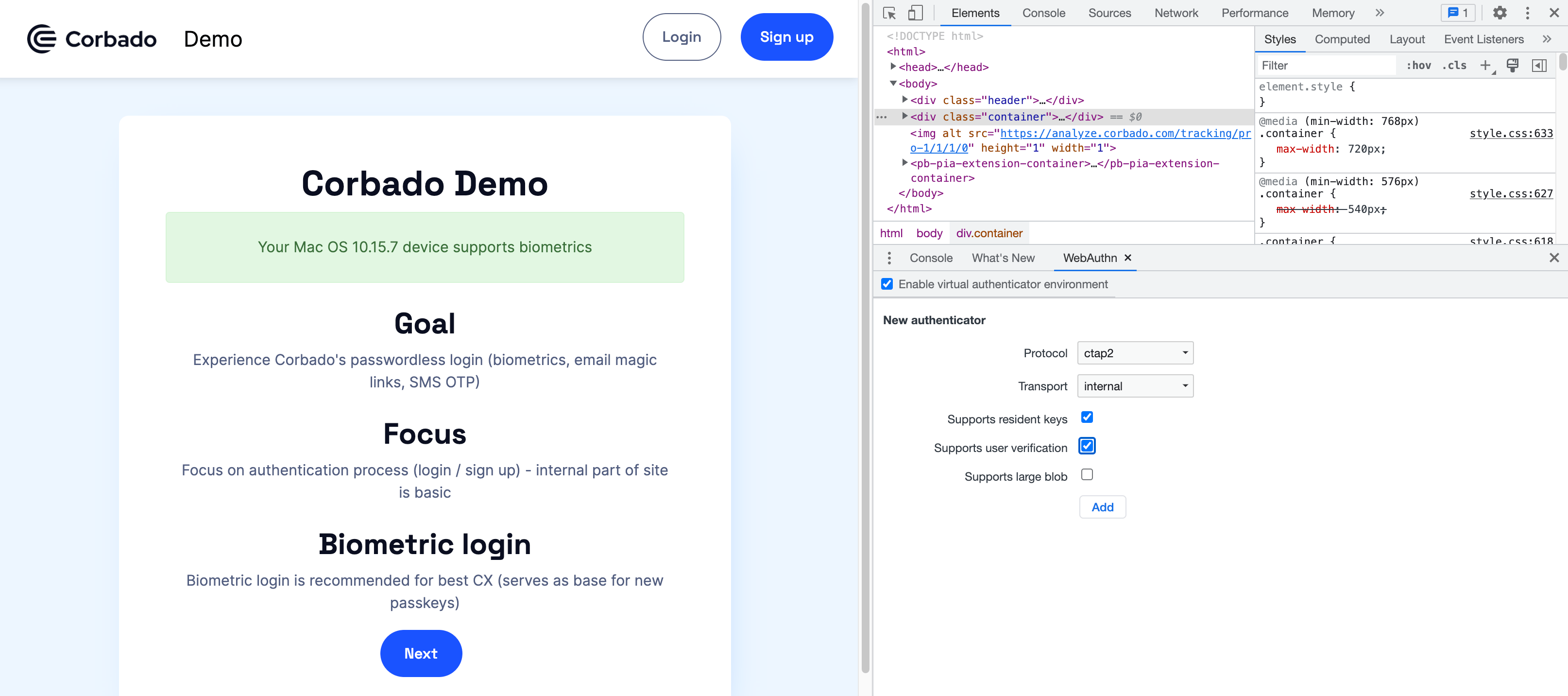
1. On the WebAuthn tab, click the checkbox to **enable virtual authenticator environment**
2. Once enabled, the **New authenticator** section appears
## Enable the virtual authenticator environment
1. On the WebAuthn tab, click the checkbox to **enable virtual authenticator environment**
2. Once enabled, the **New authenticator** section appears
 ## Add a virtual authenticator
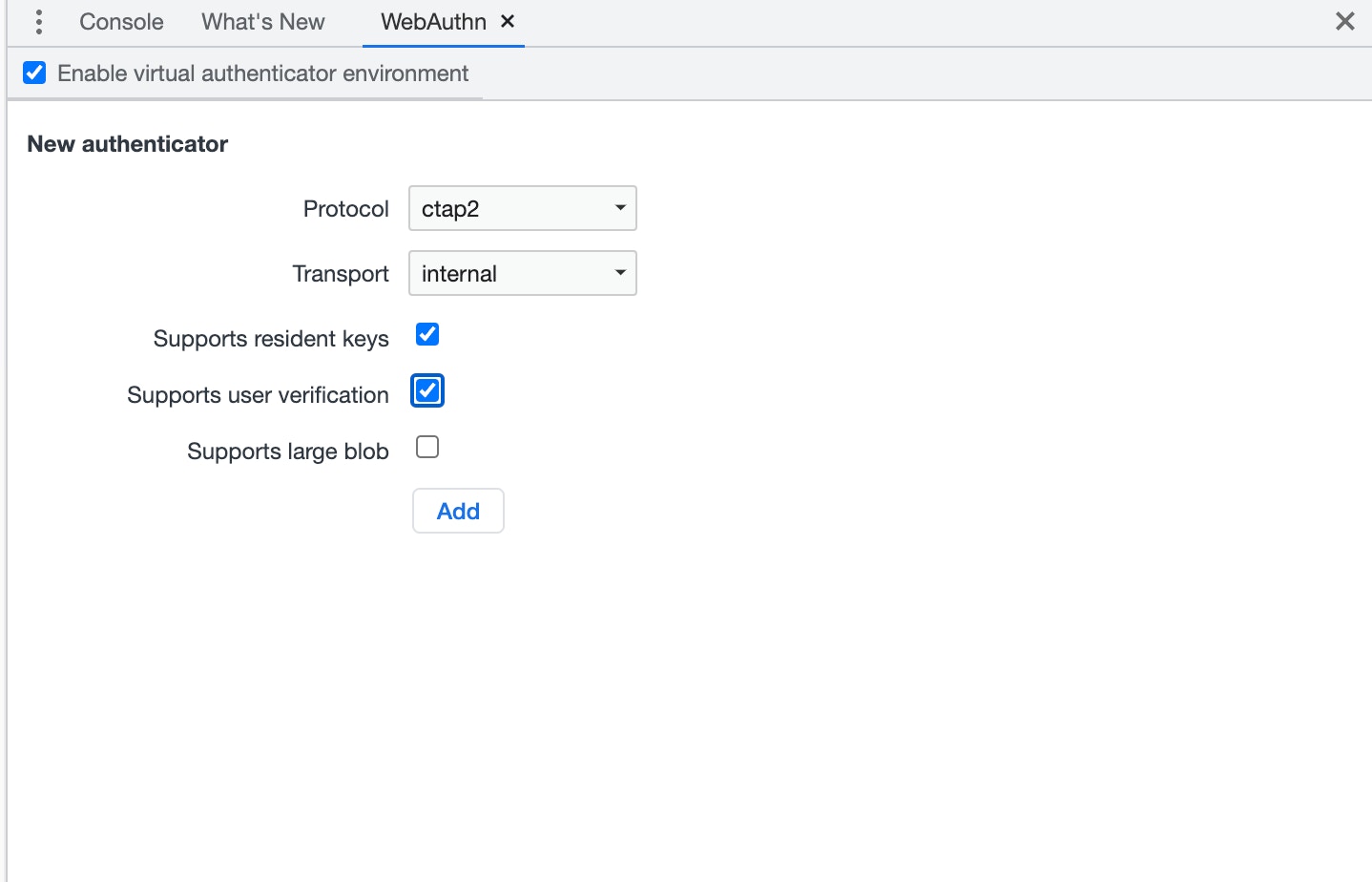
1. In the New Authenticator section, configure the following options:
* Protocol: **ctap2** (Client to Authenticator Protocol) or **u2f** (Universal 2nd factor)
* Transport: **usb**, **nfc**, **ble** (bluetooth low energy) or **internal** (platform authenticator)
* Support **resident keys** (client-side discoverable credentials)
* Support **user verification** (the technical process by which an authenticator locally authorizes the invocation of the authenticatorMakeCredential and authenticatorGetAssertion operations)
* Supports **large blob** (available only for ctap2 protocol)
2. Click the **Add** button
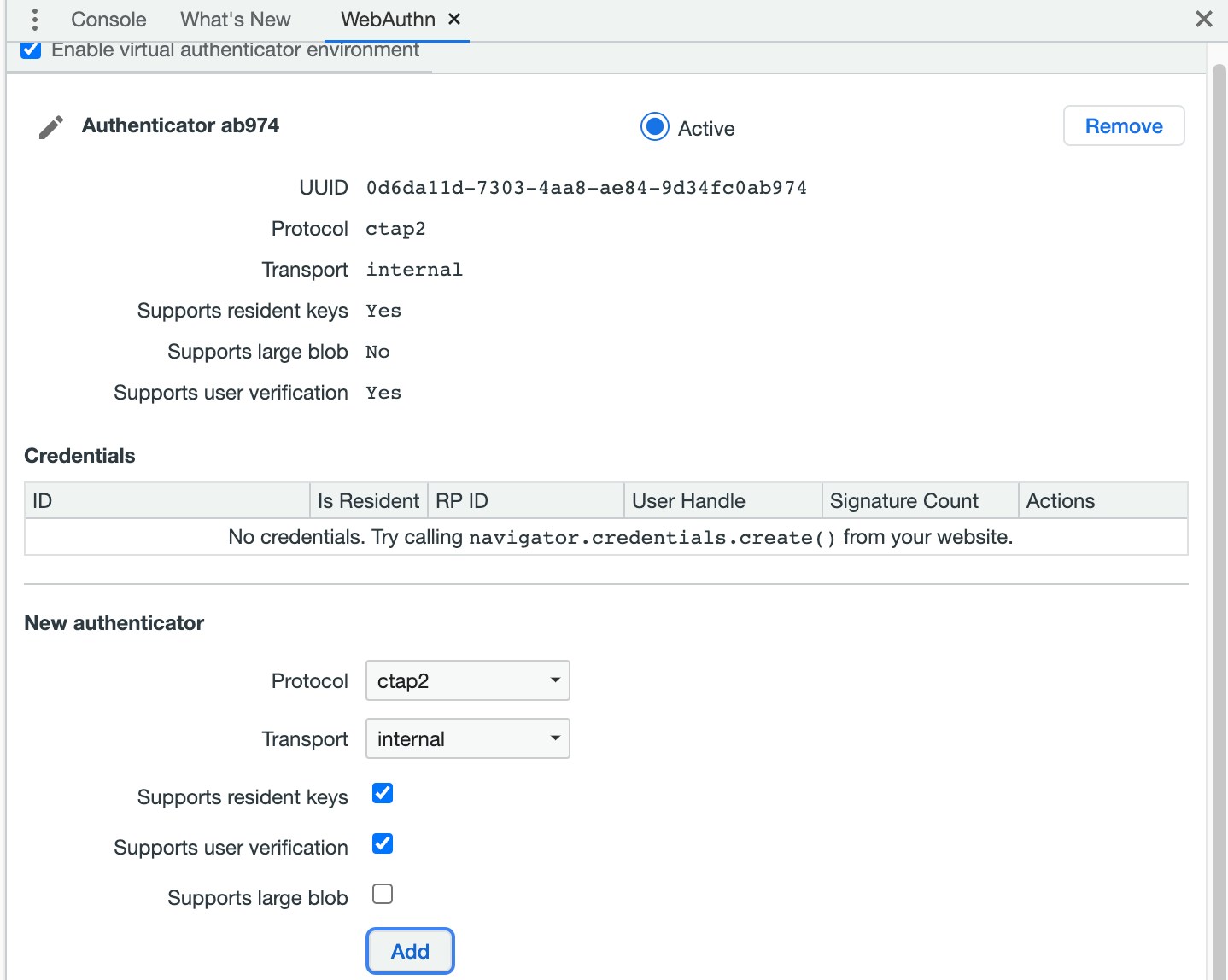
3. You can see a section with your newly-created authenticator
## Add a virtual authenticator
1. In the New Authenticator section, configure the following options:
* Protocol: **ctap2** (Client to Authenticator Protocol) or **u2f** (Universal 2nd factor)
* Transport: **usb**, **nfc**, **ble** (bluetooth low energy) or **internal** (platform authenticator)
* Support **resident keys** (client-side discoverable credentials)
* Support **user verification** (the technical process by which an authenticator locally authorizes the invocation of the authenticatorMakeCredential and authenticatorGetAssertion operations)
* Supports **large blob** (available only for ctap2 protocol)
2. Click the **Add** button
3. You can see a section with your newly-created authenticator
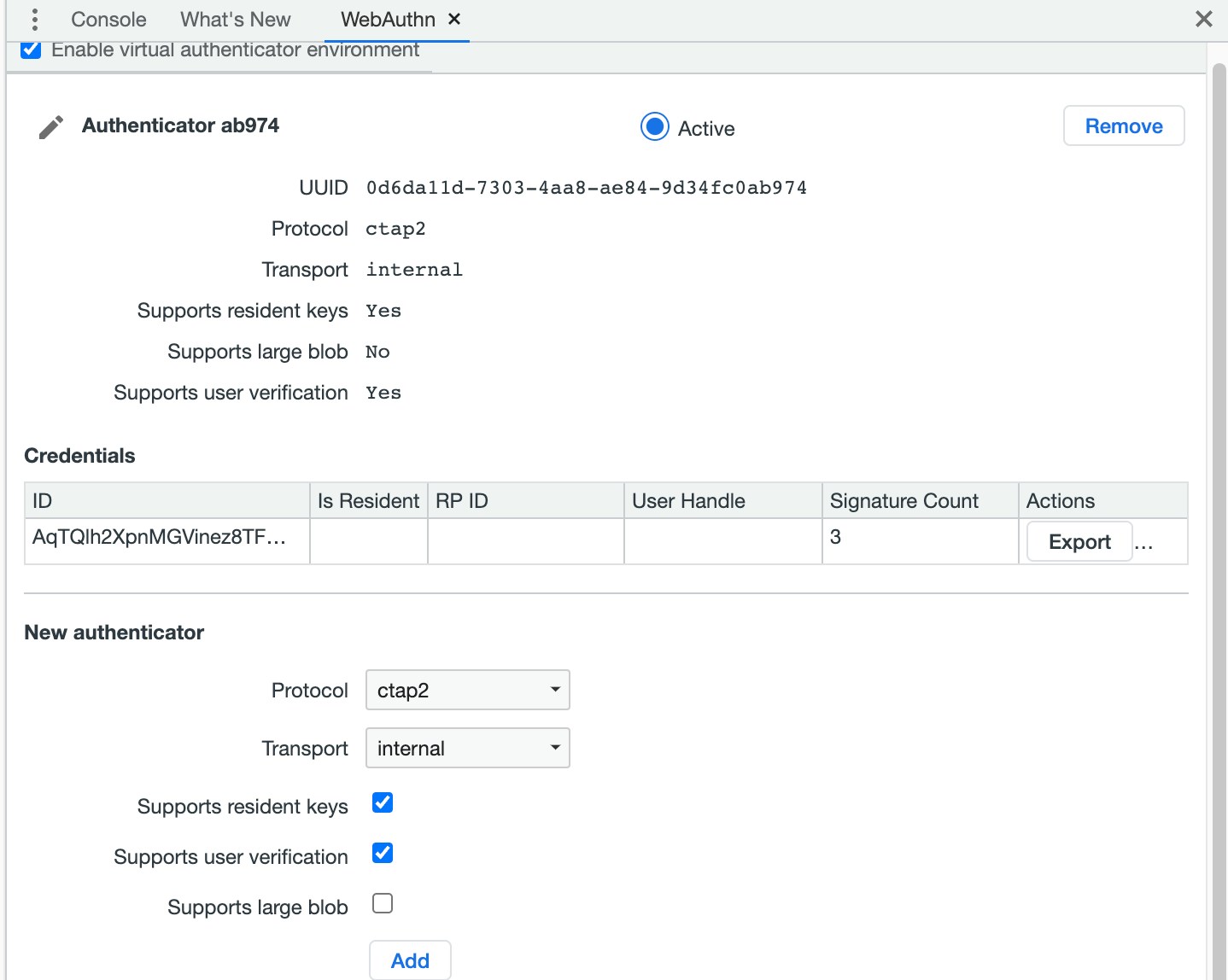
 For Corbado, we recommend the use of the CTAP2 protocol, active support of resident keys and user verification.
The authenticator section includes a credentials table. The table is empty until a credential is registered with the authenticator.
For Corbado, we recommend the use of the CTAP2 protocol, active support of resident keys and user verification.
The authenticator section includes a credentials table. The table is empty until a credential is registered with the authenticator.
 ## Register a new credential
To register a new credential, go to the [Corbado Demo](https://passkeys.eu/)
1. On the demo page, provide your email address and click **Sign up**
2. A new credential is now added to the credentials table in the WebAuthn tab
## Register a new credential
To register a new credential, go to the [Corbado Demo](https://passkeys.eu/)
1. On the demo page, provide your email address and click **Sign up**
2. A new credential is now added to the credentials table in the WebAuthn tab
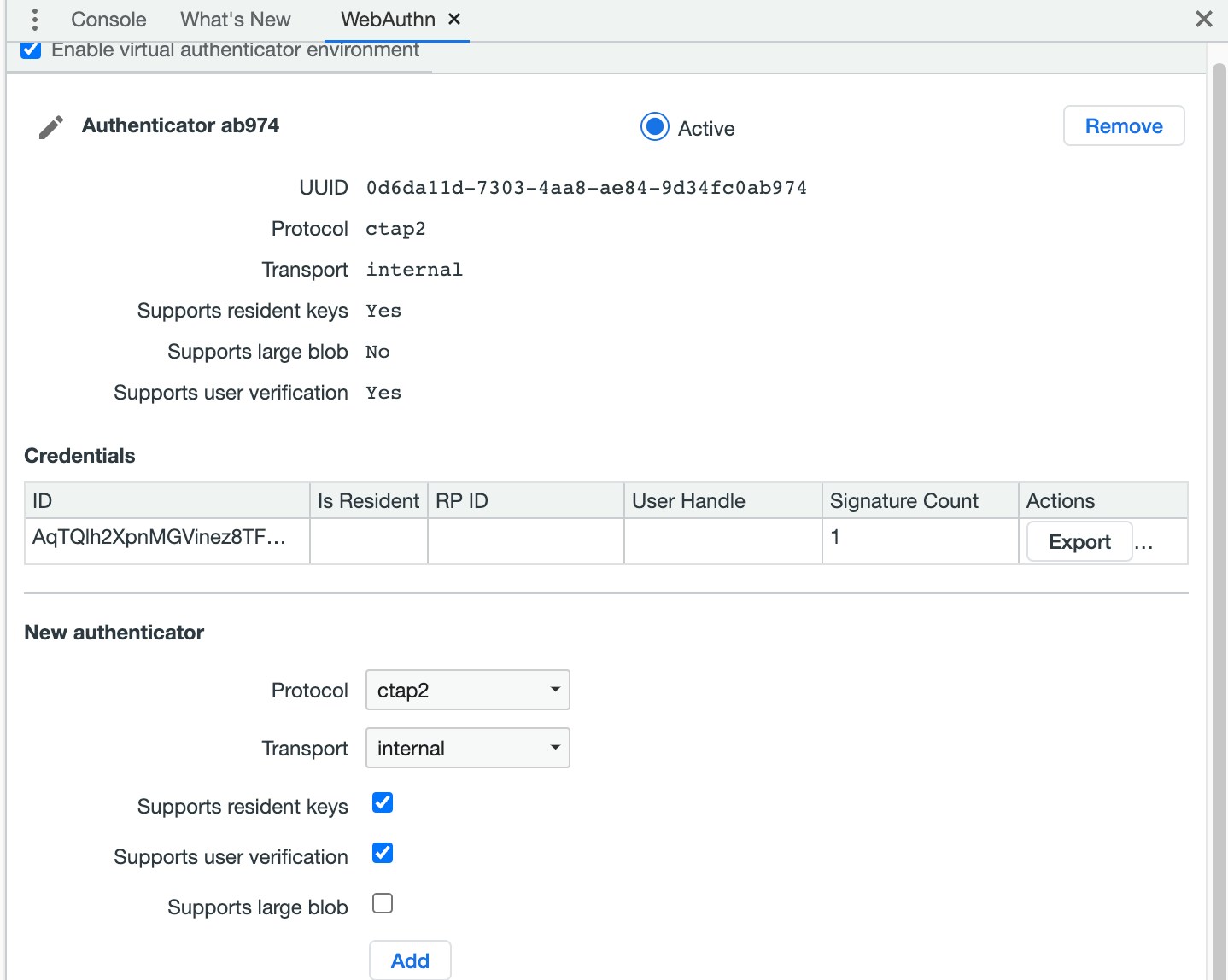 After successful registration by confirming the email magic link, you can login any number of times. The **Signature Count** will increase accordingly.