> ## Documentation Index
> Fetch the complete documentation index at: https://docs.corbado.com/llms.txt
> Use this file to discover all available pages before exploring further.
# Connect Observe to Your Data Platform
> Load Observe exports into a warehouse, lakehouse or BI tool: a safe loading pattern, an overview of common platforms and custom exports for enterprise projects.
Observe exports are Apache Parquet and CSV files, so any platform that reads these formats can load them. This page describes a loading pattern that stays correct when exports are regenerated and how common platforms load the same files.
 ## 1. The loading pattern
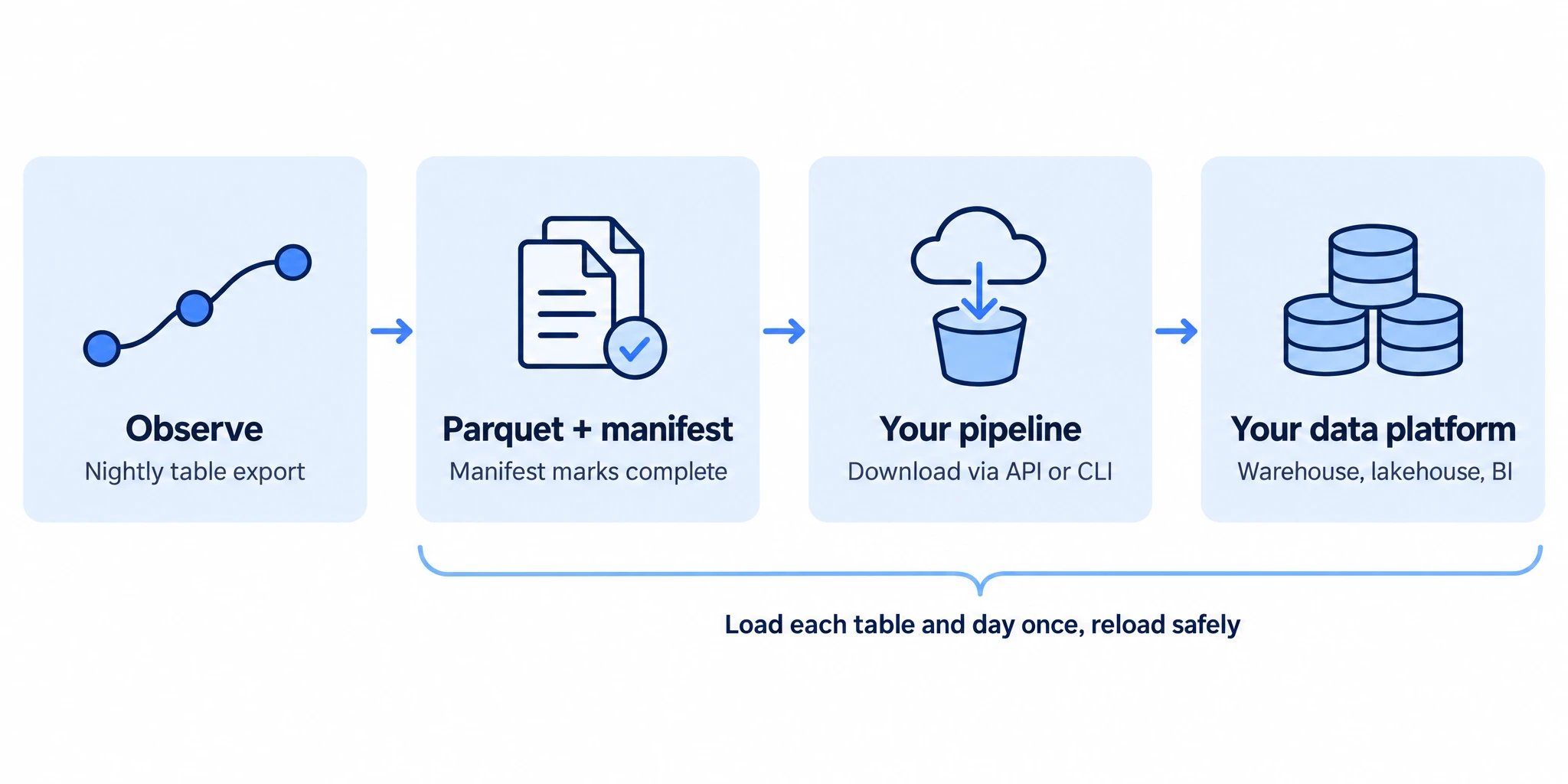
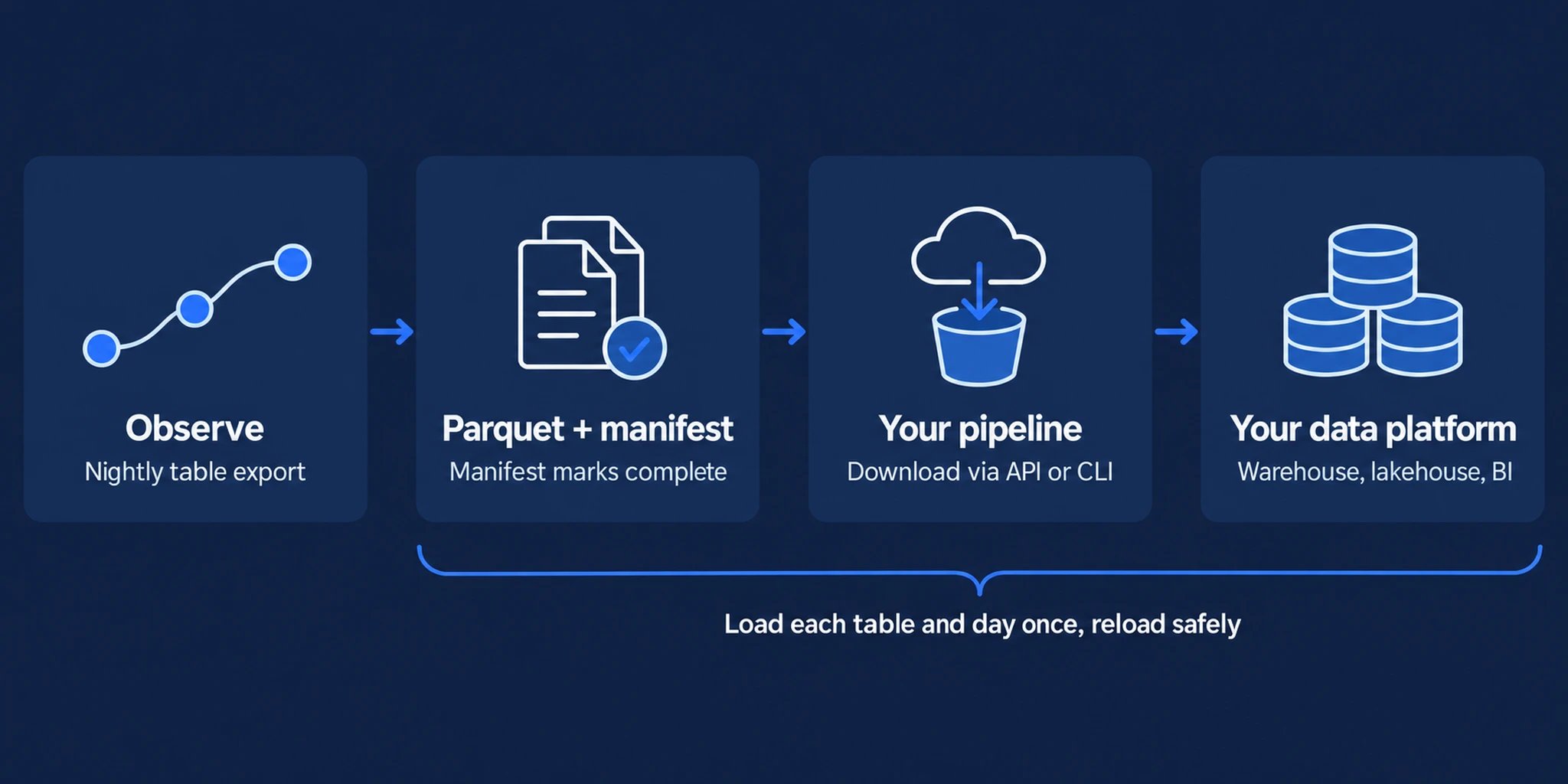
Call `GET /observe/tableExports` once a day after 01:00 project time. Only complete exports are listed.
Keep a control table with table, export date and each file's name, creation time and checksum. Load an export when its file inventory or metadata changes. Consume every listed part, including any sub-day parts.
Request a download link per file and download the complete set into a fresh staging folder for that export version. Verify the files before replacing the previously loaded version, because a regenerated export can have fewer files.
Keep the source table, export date and version with the staged rows. Replace that export partition atomically after all parts load successfully. Reprocessing the same export then leaves the same result.
For journey analysis, account for the [row grain and joins](/corbado-observe/data-access/data-model#3-types-keys-and-identifiers). The two time-series tables contain overlapping monthly snapshots: retain the export version and use the latest snapshot covering each reporting interval, rather than summing successive exports. For console-aligned reporting, start with [time-series exports](/corbado-observe/data-access/exports#2-time-series-exports).
Accept new columns during the load, because the [schema grows](/corbado-observe/data-access/data-model#6-schema-changes) as Observe adds fields.
## 2. Platform overview
| Platform | How to load |
| --------------------------------------- | ------------------------------------------------------------------------------------------------------------------------------------------------------------------------------------------------------------ |
| **Databricks** | Stage the files in a Unity Catalog volume and load them into Delta tables with Auto Loader or `COPY INTO`. Use a new staging path for each export version and apply the replacement and snapshot rules above |
| **Snowflake** | Stage the files and load them with `COPY INTO` using the Parquet file format, or automate the load with Snowpipe |
| **Amazon Athena and Redshift Spectrum** | Keep the files in your S3 bucket in the `
## 1. The loading pattern
Call `GET /observe/tableExports` once a day after 01:00 project time. Only complete exports are listed.
Keep a control table with table, export date and each file's name, creation time and checksum. Load an export when its file inventory or metadata changes. Consume every listed part, including any sub-day parts.
Request a download link per file and download the complete set into a fresh staging folder for that export version. Verify the files before replacing the previously loaded version, because a regenerated export can have fewer files.
Keep the source table, export date and version with the staged rows. Replace that export partition atomically after all parts load successfully. Reprocessing the same export then leaves the same result.
For journey analysis, account for the [row grain and joins](/corbado-observe/data-access/data-model#3-types-keys-and-identifiers). The two time-series tables contain overlapping monthly snapshots: retain the export version and use the latest snapshot covering each reporting interval, rather than summing successive exports. For console-aligned reporting, start with [time-series exports](/corbado-observe/data-access/exports#2-time-series-exports).
Accept new columns during the load, because the [schema grows](/corbado-observe/data-access/data-model#6-schema-changes) as Observe adds fields.
## 2. Platform overview
| Platform | How to load |
| --------------------------------------- | ------------------------------------------------------------------------------------------------------------------------------------------------------------------------------------------------------------ |
| **Databricks** | Stage the files in a Unity Catalog volume and load them into Delta tables with Auto Loader or `COPY INTO`. Use a new staging path for each export version and apply the replacement and snapshot rules above |
| **Snowflake** | Stage the files and load them with `COPY INTO` using the Parquet file format, or automate the load with Snowpipe |
| **Amazon Athena and Redshift Spectrum** | Keep the files in your S3 bucket in the `/` layout and query them in place as external tables |
| **Google BigQuery** | Load the Parquet files with a load job. BigQuery reads the schema from the files |
| **Grafana** | Query KPI series through the [Observe API](/corbado-observe/data-access/api) with a JSON data source, or connect Grafana to the warehouse that holds your exports |
| **Adobe Experience Platform** | Place the files in a storage location covered by one of the platform's cloud storage source connectors, which accept Parquet and CSV |
| **Tableau, Power BI and Looker** | Connect to the warehouse or lakehouse that holds your exports. For spreadsheets, use [time-series exports](/corbado-observe/data-access/exports#2-time-series-exports) as CSV |
## 3. Custom exports
**Enterprise scoping.** If your platform requires direct delivery into storage you own, agree the delivery design and availability with Corbado before implementation.
* **Destination and access:** storage location, region, ownership, permissions and encryption requirements.
* **Contents and cadence:** required tables or journey datasets, KPI definitions, delivery frequency and history.
* **Corrections:** how late events and reclassified journeys reach your platform, including replacement or versioning rules.
* **Operations:** batch completeness, retries, backfills, schema changes, retention and deletion handling.
The API and file downloads described above provide the existing integration path. [Contact us](mailto:support@corbado.com) to scope a custom delivery arrangement.
## 4. Current data and history
Table exports are written once per day, so they suit history, reporting and joins with your own data. For questions about the last hours, such as an alert that fired this morning, query the [Observe API](/corbado-observe/data-access/api) or the [CLI](/corbado-observe/tools/cli) directly. Both read the current state of your project.
Schedules, retention and download options.
Tables, keys and time columns.