

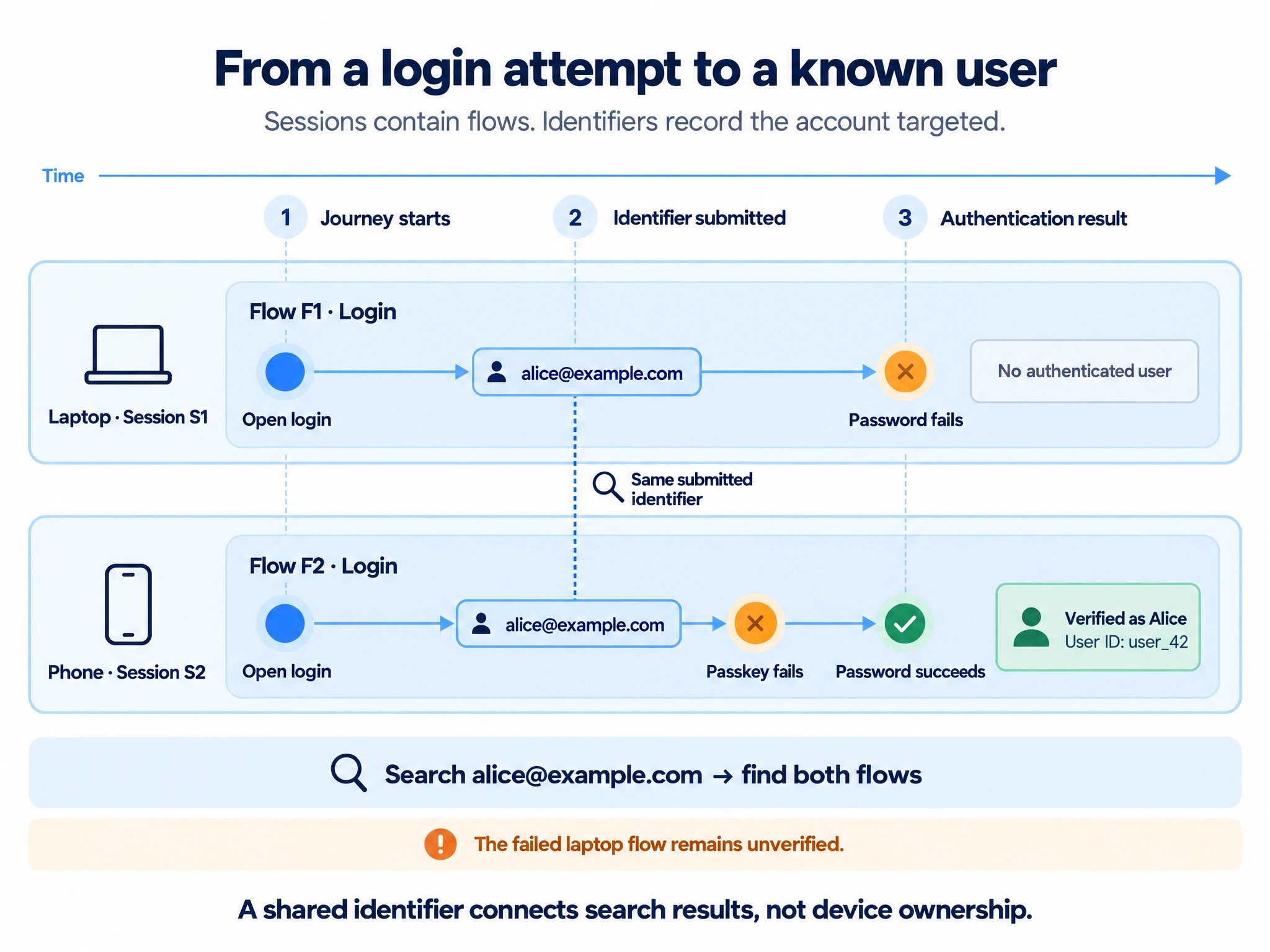
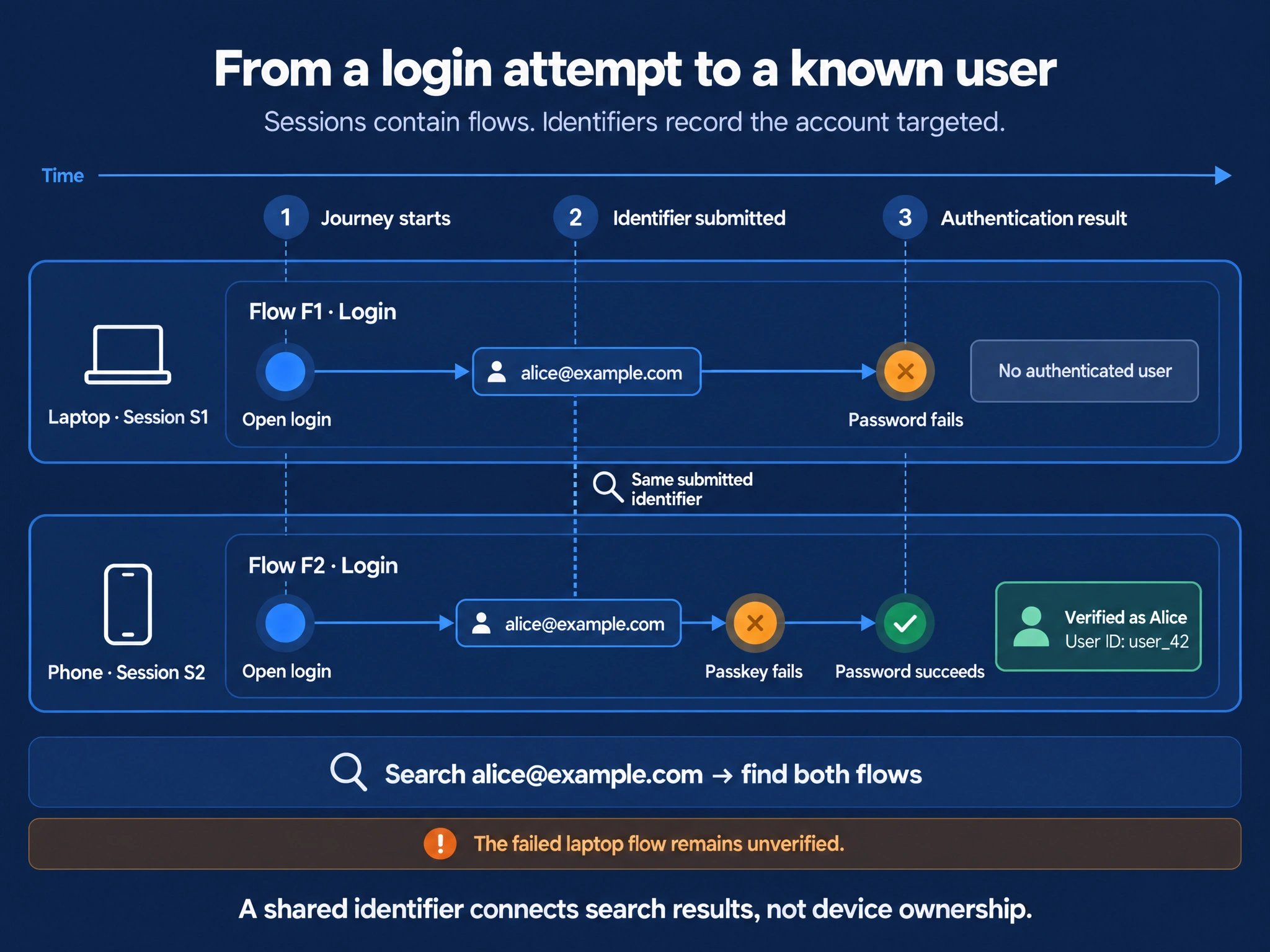
Read left to right: the sessions and flows stay separate. Only the successful phone login establishes an authenticated user reference.
1. What each reference means
A session can contain several flows, and a flow can contain several method attempts. Switching from passkey to password can remain within one login flow. The Observe session ID is a tracking reference, separate from your application’s authenticated session and from your user ID.
Your user ID and the submitted identifier can be different values. For example, your database may use a UUID while customers enter an email. Observe receives both as your integration sends them, in clear text or as hashes you compute before sending. Section 2 covers how long each form is kept. Hashing changes only the representation. It does not verify who submitted a value, and a hashed identifier and a hashed user ID are linked in the same way as clear ones.
A flow or attempt count is not a count of distinct people. One person can produce several flows, and several people can try the same account identifier. Interpret counts using the entity and filters of the view you are reading.
2. Choose how identifiers and user IDs are stored
Decide before go-live what your integration sends and what Observe does with those values later. For a standard setup, we recommend sending both values in clear text, hashing submitted identifiers after 30 days and keeping user IDs according to the project’s default retention policy.
Your data policies control hashing and deletion separately for each value:
- Hashing: replaces a clear value with a stable hash. Matching and user relationships remain available, including analysis of the same user’s journeys over time.
- Deletion: deletes the stored identifier or user ID references and removes the links they provide. Retained journeys stay available without those references. This removal of links is also called unlinking.
Sensitive values and long-term analysis
You can hash either or both values before sending when Corbado should never receive the clear value. For example, if a bank uses a sensitive account number both as the login identifier and as its user ID, hash both fields. If the user ID is a separate internal UUID, choose its representation independently. A hashed identifier remains searchable, but typos and corrections are harder to recognize. A stable hashed user ID still supports user lookup and connects journeys to the same user. To match exports back to your own records, your systems need to calculate the same hash or keep a mapping. For long-term journey analysis based on analytical consent, a policy can hash both values after the clear-text investigation period and retain them for the analysis period. A fraud and security policy can delete both references when its retention period ends. Hashing preserves relationships until deletion; it does not extend retention by itself.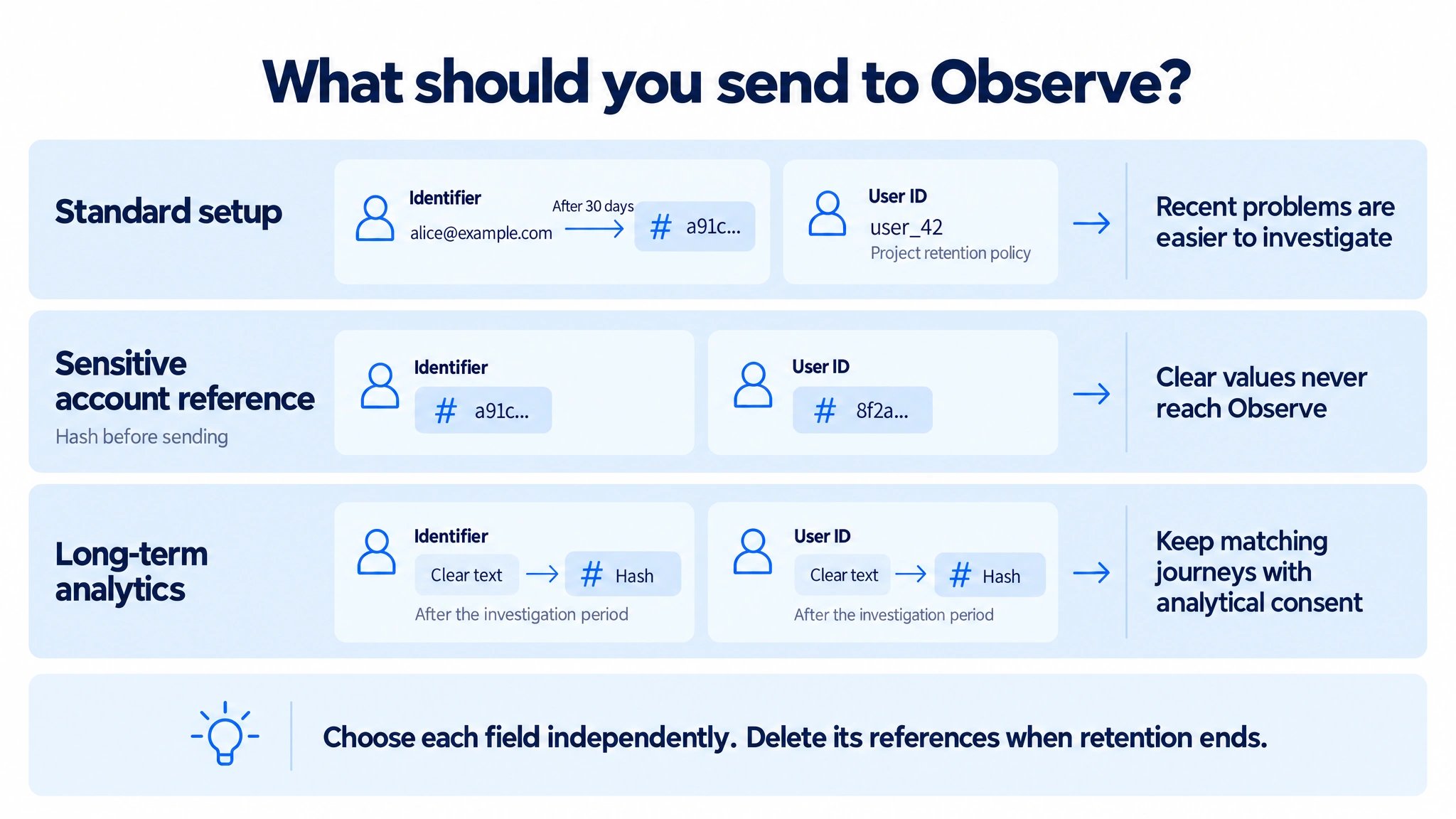
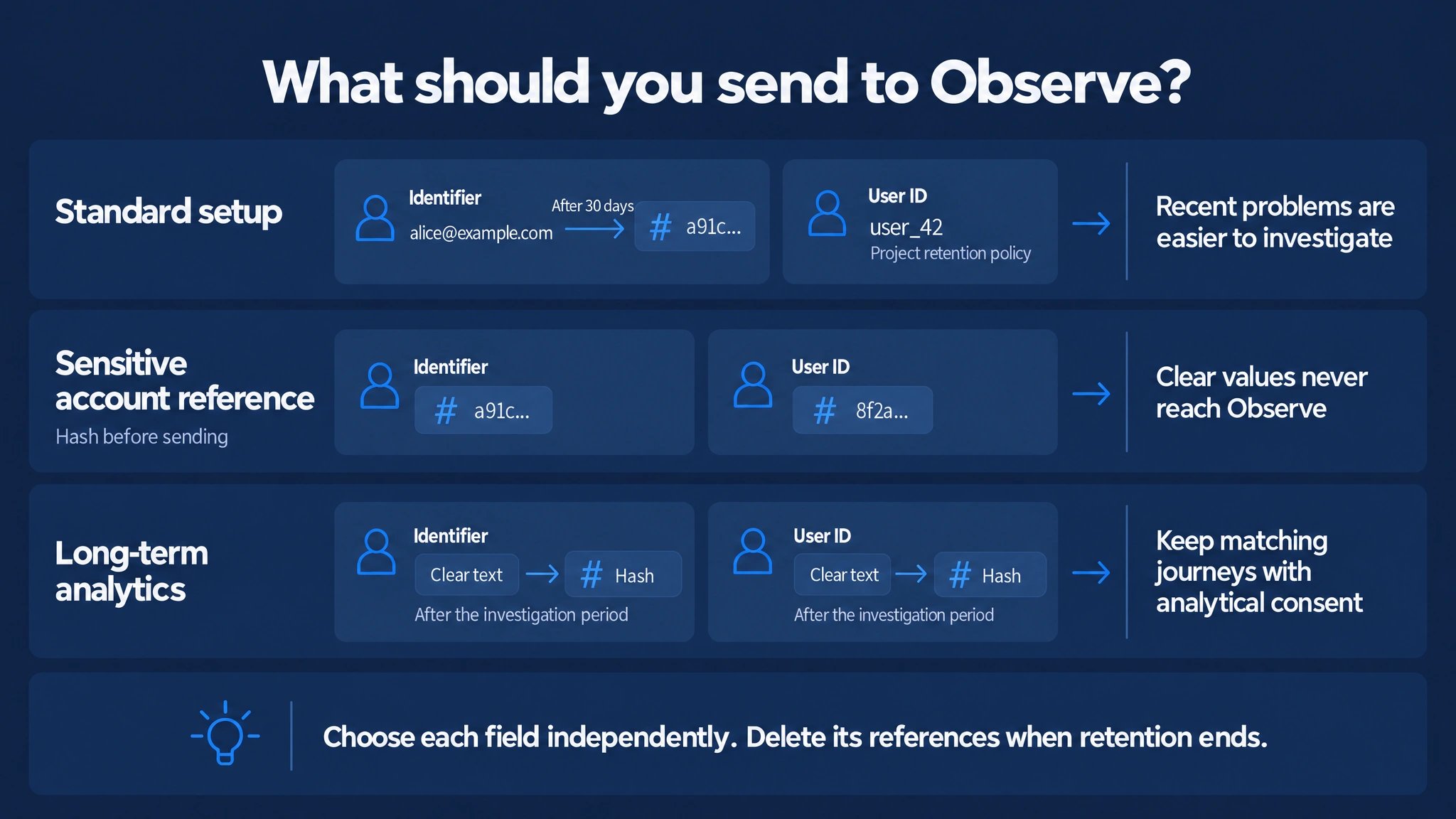
Choose the identifier and user ID independently. The sensitive-account example hashes both because both fields contain sensitive values; a separate internal UUID can use a different setting.
What each value is for
Support tools usually show account status and the last successful actions. A customer who could not log in has no successful action to show. Submitted identifiers close that gap:- Failed logins: find attempts that never succeeded by the email, phone number or username the customer gives support.
- Backend reconciliation: match unsuccessful attempts with your own logs, for example lockouts, one-time code deliveries or risk decisions.
- Shared devices and accounts: see which accounts were tried in one environment, for example on a family computer, and tell a typo from a second person.
Why clear text for identifiers
Clear text makes typos and shared-account patterns visible at a glance. The hashes ofalice@example.com and alice@exmaple.com look unrelated, so a correction reads like a second account. This matters most for short-term ad-hoc debugging and for anomaly, fraud and error analysis, the security and reliability purpose that needs recent data. Hashing after 30 days limits how long readable identifiers remain available while preserving matching. Deletion later removes the identifier references and their links.
3. From a submission to a user link
Observe records every identifier a user submits, usually the email, phone number or username entered on your login page. A typo followed by a correction counts as two submissions. Submissions your system rejected, or that never received an answer, stay searchable but never connect the identifier to a user. An identifier is connected to a user only when the login proved that this user owns it. Observe connects the last identifier entered when a successful login in the same journey confirms it:- Password or passkey: the user signs in with the password or a passkey of the account they entered.
- One-time code or email link: the user confirms a code or a link sent to that email address or phone number.
4. Three scenarios, three different conclusions
Can we tell whether both devices belong to Alice?
Before the phone’s successful password retry in the timeline, both devices have submitted the same email and encountered a failed authentication attempt. Searching the email already finds both flows. The shared email does not prove that Alice used either device. One person retrying, two people using a shared account and an attacker entering someone else’s email can all produce this pattern. Distinguishing genuine failures from malicious activity requires additional security signals.Can a search for Alice find those failed attempts?
Once authentication verifies the connection betweenalice@example.com and user_42, searching that user with identifier expansion can include the failed laptop flow. The same applies when the connection was established by an earlier login. Each result explains that it matched through the linked identifier.
Search expansion makes related attempts discoverable. It does not reassign the laptop flow to Alice or turn it into authenticated activity by Alice. Earlier attempts remain reachable only when their identifiers were captured and the relevant data is still retained.
Does every identifier in a successful flow belong to its final user?
Someone enters Alice’s email, switches methods and successfully authenticates with Bob’s passkey. The flow has an authenticated user reference for Bob, while the email submission remains an observation about Alice’s identifier.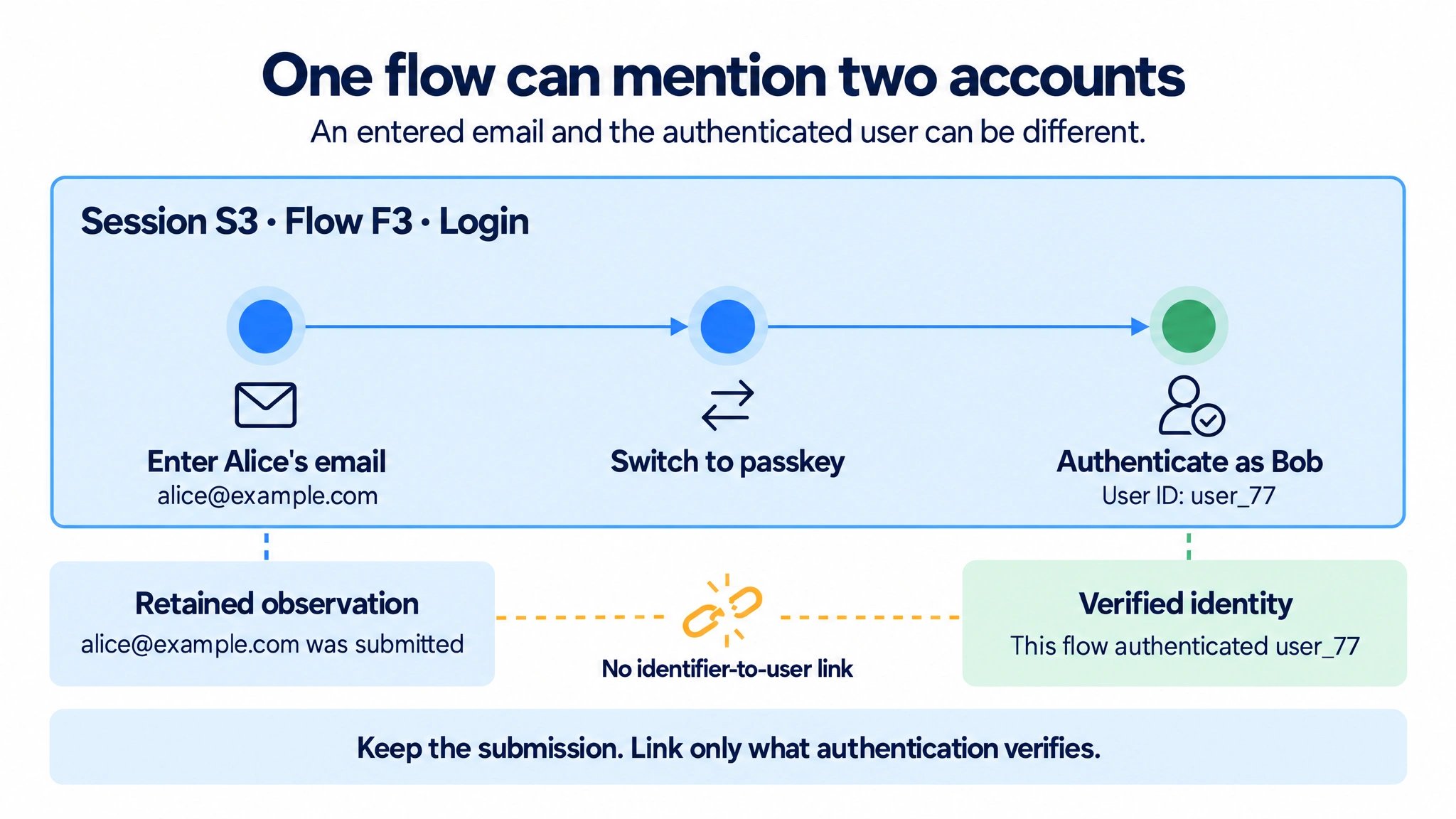
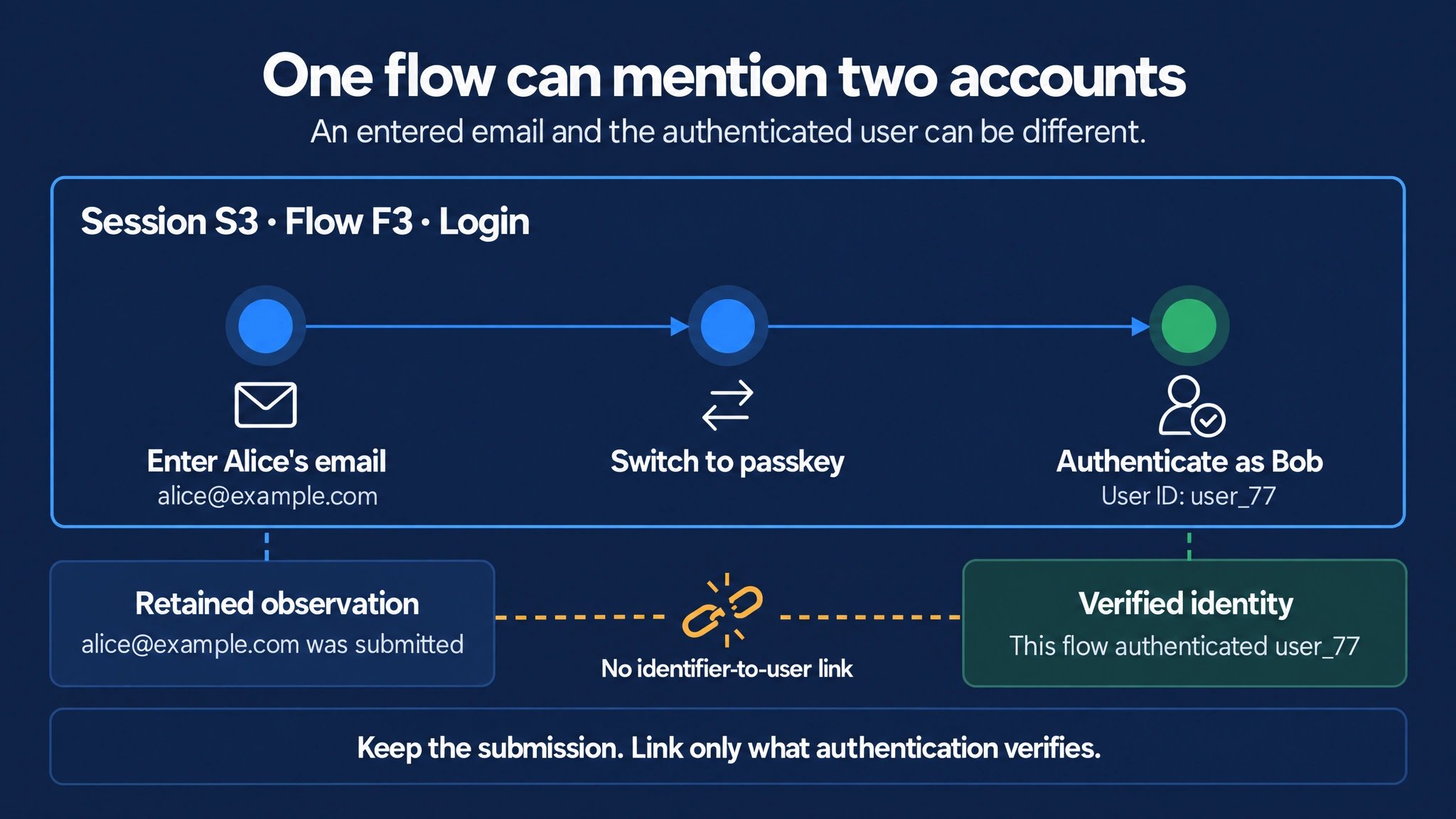
The flow records both facts: Alice's email was submitted, and Bob authenticated. Those facts do not establish that the email belongs to Bob.
5. Find and interpret an attempt
Open Debugging → User Search in the management console.1
Start with what the customer tells you
For a customer who could not log in, search the email, phone number or username they give you with the
id: prefix, for example id:alice@example.com. If you also know their account, add your user ID with ext: to see both in one search: ext:user_42 id:alice@example.com. For hashed values, search the stored hash directly or use the console’s hash calculation with the matching configuration.2
Include attempts with the user's identifiers
A user’s view also lists attempts with identifiers connected to that user, including attempts on other devices and by people who never logged in. The search follows one connection and does not continue to further users.
3
Check what was verified, then read the journey
Identifiers marked Verified for this user were confirmed by a login of that user. Other identifiers were only entered. Look at the entered values, method changes and the outcome of the journey before drawing conclusions about the user.
6. Capture coverage and missing results
- Captured identifiers only: Search finds identifiers your integration captures. Tracking how a field is used, for example typing or autofill, does not capture its value.
- Same format on both sides: Direct lookup uses the stored representation. For normalized or hashed values, use that value or the console’s matching hash calculation. A custom hashing scheme can be calculated by the console only when its required configuration is available.
- No identifier entered: A failed passkey autofill attempt has no identifier, so an identifier search cannot find it. It appears only in the journeys of the user it was assigned to.
- Collection start: Search covers identifiers captured after capture started. Earlier attempts cannot be filled in later.
- Retention: Hashing preserves matching; deleting identifier or user ID references removes the corresponding lookup paths. A retained journey can therefore exist even when an account search no longer finds it.
- User-data requests: Deleting a user’s data removes the identifiers entered in that user’s sessions and those connected to the user. Attempts with the same identifier in other sessions that were never connected to the user remain. A missing result does not prove that no attempt occurred.