

1. Introduction
Corbado Observe reconstructs the full authentication journey, including failed attempts, retries and method switches before a successful login. This helps you distinguish smooth logins, successful logins with friction and incomplete journeys. Whether you use passkeys, passwords, email OTP, social login or a combination, Observe gives you one view across all of them. Autocapture supports custom login frontends and hosted login pages from providers such as Auth0, Okta and Ping AM/AIC, where the login experience allows the Observe snippet to run. Observe or Connect? Use Corbado Observe to measure and debug the authentication you already have. Use Corbado Connect to add passkeys to an existing identity provider.Try Observe on your login
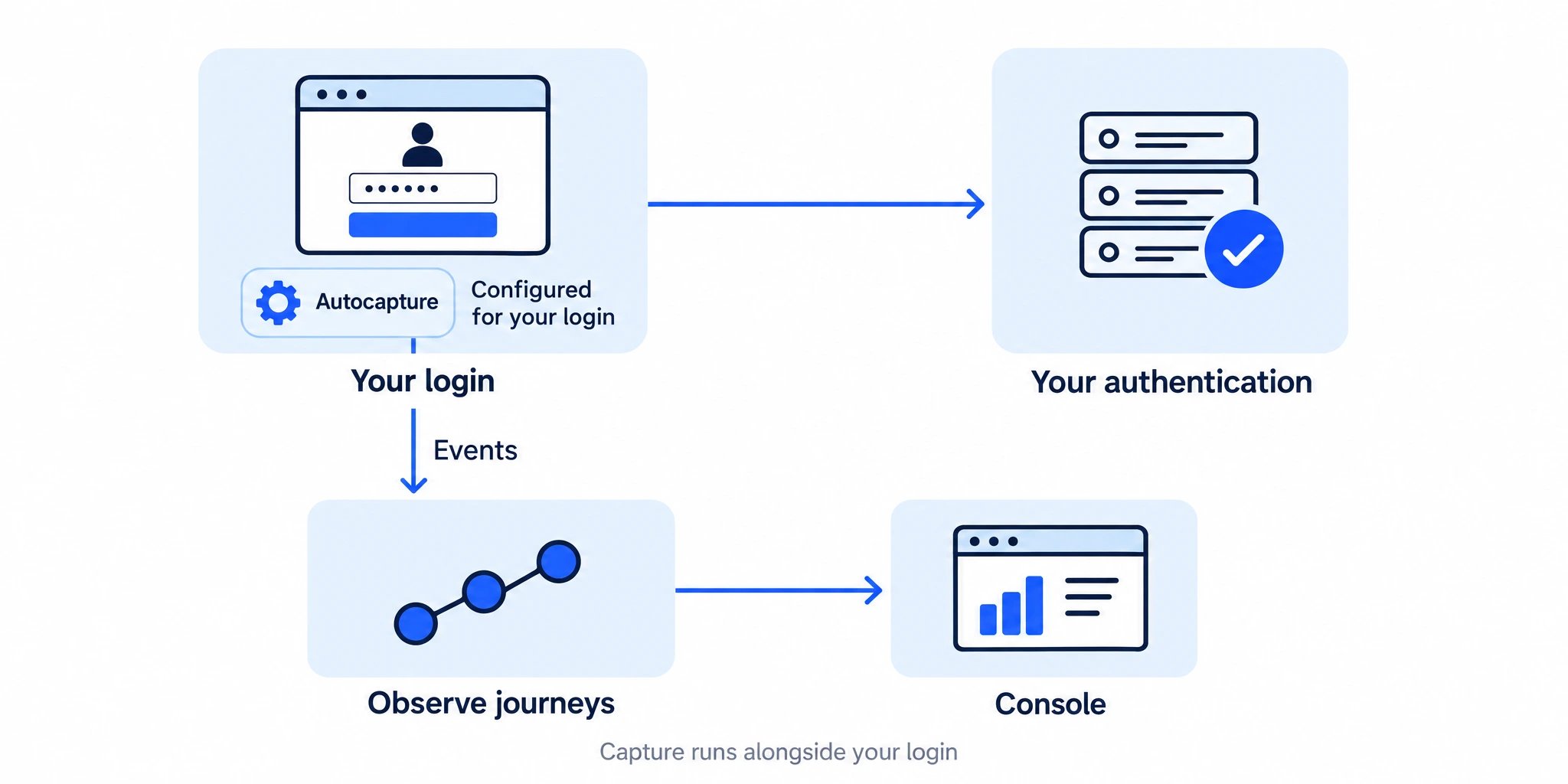
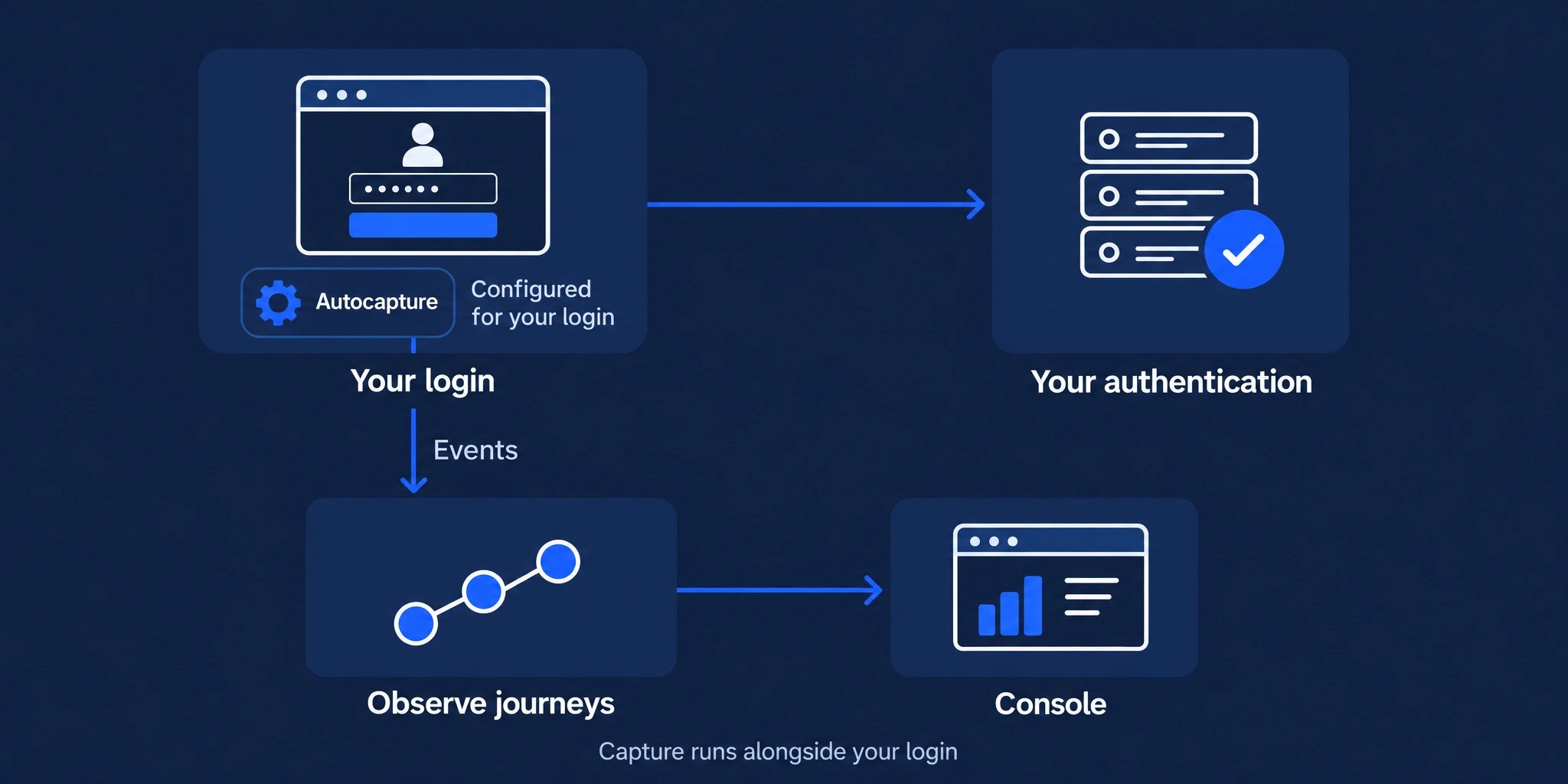
Explore selected journeys in your own browser before a website deployment. Corbado configures Autocapture for your login.
Integrate Autocapture
Add the supplied snippet to staging or production and verify your journeys.
Watch the Observe walkthrough
Watch the Observe walkthrough
2. Why use Corbado Observe?
Most teams have limited visibility into what happens between “user lands on login” and “user is authenticated”. Observe closes that gap:- Investigate failures: A user who never gets past the passkey dialog produces no backend event at all. Observe captures the client-side reality: system dialogs, credential managers, silent cancellations and device-specific failures.
- Find drop-offs: Track every step of login, sign-up and recovery so you can pinpoint where users drop off.
- Compare methods: See how passkeys, passwords, email OTP and social login perform side by side.
- Compare segments: Use applications and tags to compare web, iOS, Android or any custom dimension.
- Trace journeys: Use users and identifiers to investigate retries, method switches and failed attempts against an account, including attempts made before authentication.
3. How it works
On web, your team adds the Observe snippet with Autocapture built in. Corbado configures its capture rules for your login. For authentication implemented natively or additional context, your team sends custom events. Both feed the same data model and the management console, where you explore funnels, errors and individual journeys. Administrators access these insights in the Management Console. Enterprise customers can use their existing identity provider through SAML 2.0 single sign-on, including Okta and Microsoft Entra ID. Observe captures the client side of authentication and runs alongside your existing authentication stack. See How Observe works for the full pipeline and how Observe compares to the analytics and monitoring tools you already run.4. Capture methods
See Autocapture and custom events for coverage and how to combine them. Browser evaluation and staging integration both use Autocapture.
5. Continue with your task
How Observe works
Understand the capture pipeline and how Observe fits your stack.
Compatibility & constraints
Platforms, data handling and known limitations.
Verify your integration
Check recorded journeys before expanding your rollout.
Integrate custom events
Native authentication and additional events from your own code.