

1. Introduction
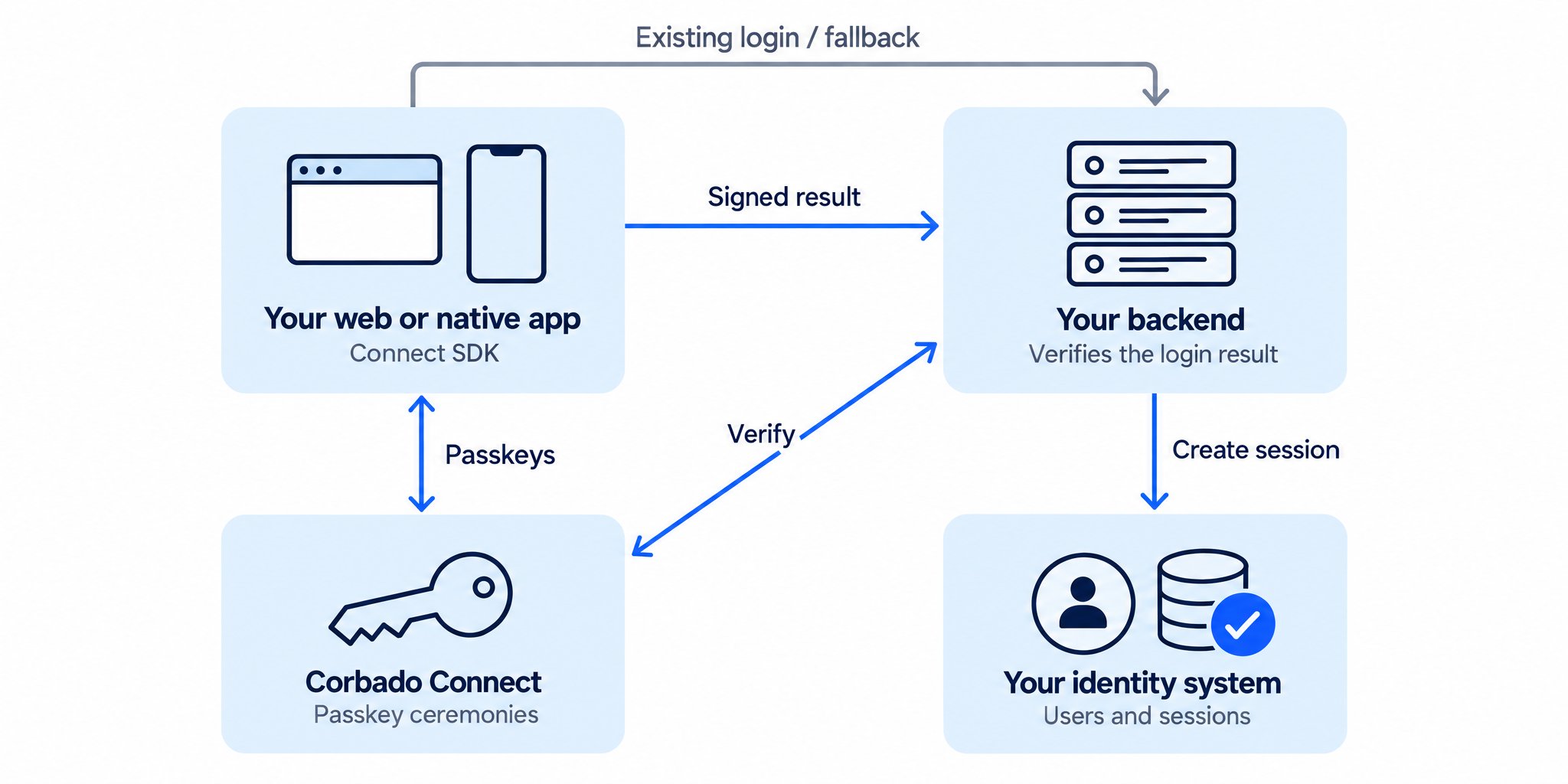
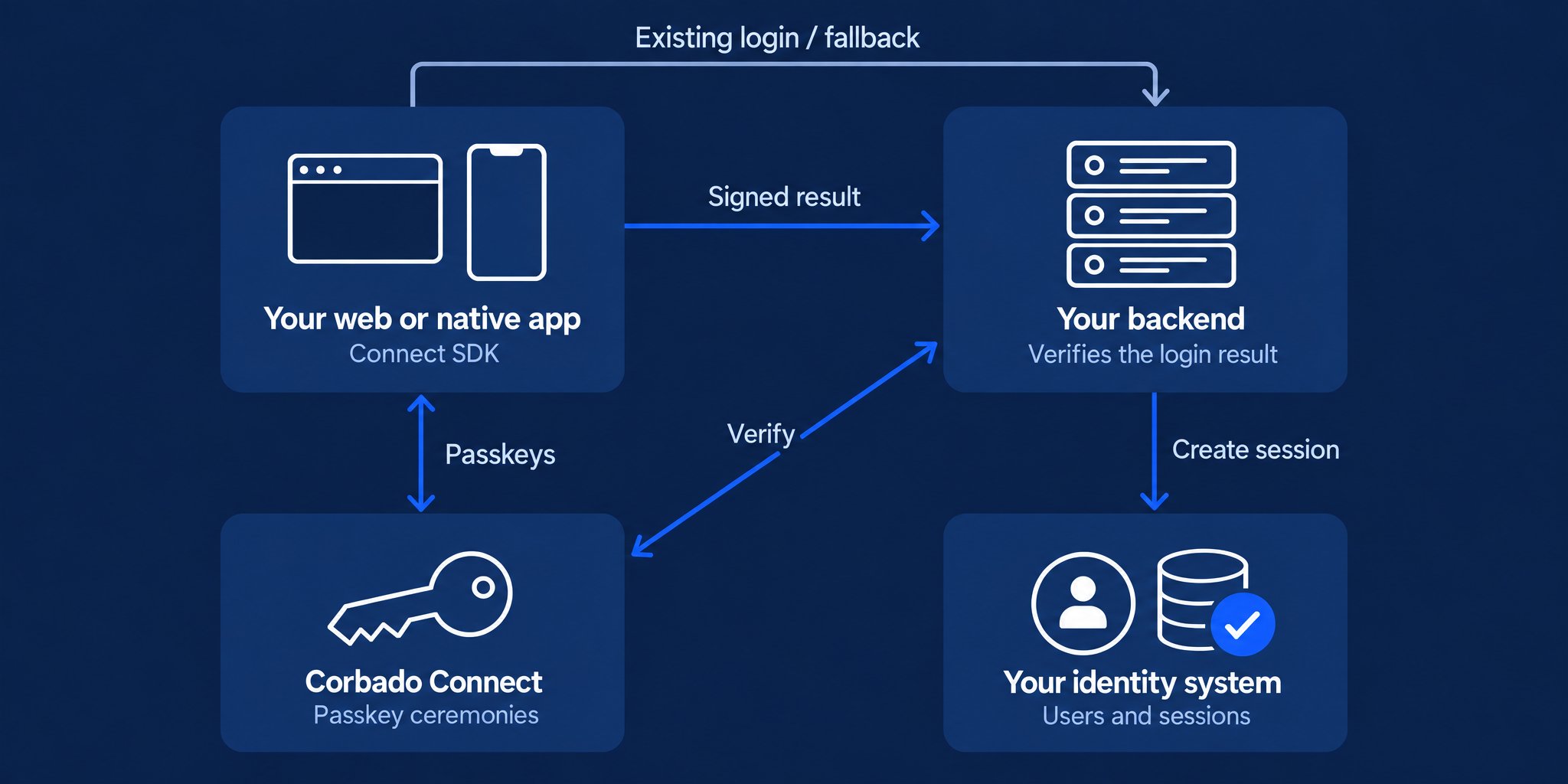
Corbado Connect adds passkey enrollment, login and management to your existing authentication system. Your identity provider keeps its users and your backend creates application sessions. Connect handles the passkey ceremonies and helps you decide when to offer passkeys across devices. The goal is to get users to create passkeys and use them to log in. Offer enrollment after an authenticated login, make returning login easier with One-Tap and expand your rollout based on actual usage and fallback outcomes. Connect or Observe? Use Connect to add passkeys. Use Corbado Observe to measure and investigate authentication journeys across methods, including authentication you already run.Plan your integration
Choose your web or native path and understand the work for your team.
Try the demo
Experience enrollment, passkey login and account settings.
2. What’s Corbado Connect?
Connect combines three parts:- Frontend integration: Web UI components and native iOS and Android SDKs for passkey login, enrollment and management. Native apps render their own screens around the SDK’s flow results.
- Passkey Intelligence: Device capabilities, previous interactions and configured rules help decide when to offer enrollment or attempt a passkey login. Your application handles the existing authentication flow when fallback is needed.
- Managed platform: Corbado operates the WebAuthn server, maintains the SDK integrations as operating systems, browsers and credential providers evolve and provides rollout controls, passkey analytics and debugging in the Management Console.
Corbado Connect is FIDO Certified under the FIDO Alliance’s FIDO2 server certification program.
3. Enterprise Features
4. Enterprise Use Cases
Connect fits teams adding passkeys to an existing consumer identity system, whether it is an IdP, a CIAM platform or a custom backend. Plan for the journeys your users actually have:- Existing users: Offer passkey enrollment after their current login, including fallback logins on a new device.
- Returning users: Support identifier-first, One-Tap and browser autofill login where available.
- Native apps: Use passkeys for server authentication, including reauthentication or app reinstallation. Existing local biometric unlock can remain part of your app.
- Multiple environments: Decide how web domains, native apps and account populations map to RP IDs and Connect projects before integration.
5. Key Benefits for Enterprise
Your team can use prebuilt passkey flows while retaining control of account eligibility, sessions and recovery. Adoption controls let you start with a limited audience, measure enrollment and login separately and refine the experience before expanding. Start with Getting started, then verify the integration in staging. Deployment, support and implementation scope are agreed for your project; see deployment options and integration support.Watch the Connect walkthrough
Watch the Connect walkthrough