

An AAGUID without trusted attestation is a reported provider identifier. Filtering it helps guide users toward qualified providers, but cannot reliably stop an authenticator that impersonates an accepted provider. Cryptographic assurance requires validating the credential’s attestation against an accepted trust anchor. Finding its AAGUID in FIDO Metadata Service (MDS) alone is insufficient.
Qualification criteria
Assess providers against your application’s requirements. User verification (UV) deserves particular attention: a provider’s behavior can differ between a standalone browser extension, a native app and an extension connected to that app.
Record each assessment with its tested platform, browser, provider version and integration mode. Grade it as meets requirements, meets requirements under specified conditions, does not meet requirements or not assessed. Record the evidence separately as tested behavior, vendor documentation or validated attestation with trusted metadata.
An assessment is evidence for your acceptance decision. An AAGUID does not necessarily distinguish versions or configurations, so a conditional grade is only actionable when you can establish that its conditions hold. Membership in a first-party or third-party category does not by itself determine qualification.
Enrollment policy options
Policies use AAGUIDs to map returned credentials to assessed providers or authenticator models. An AAGUID identifies a model or provider, rather than an individual device or person.
Define how to handle unknown and all-zero AAGUIDs. An unknown identifier means the provider cannot be classified from that signal; it is not evidence that the provider is unsafe. If your policy declines it, offer a known, supported alternative.
For example, an RP might accept selected platform providers based on a documented assessment, decline a provider whose tested UV behavior falls short and accept selected security-key models only with trusted attestation and required UV. This is an RP-specific decision, not a universal list of approved providers.
Security guarantees and limits
Reported AAGUIDs guide users
For an unattested credential, Connect can apply your policy to the reported AAGUID. This helps ordinary users avoid enrolling with a provider that your organization has not qualified. It does not prove the provider’s identity, active settings or continuing custody of the private key. A manipulated identifier can bypass that classification. A mixed policy that accepts some unattested providers retains this limitation, even if it also validates attestation for security keys. Requiring attestation for one branch does not make every accepted credential attested. See AAGUID identification and its limits.Validated attestation supports model restrictions
For an attestation requirement, Connect validates the registration’s attestation statement and certificate chain against an accepted trust anchor, checks the binding to the authenticator model and evaluates relevant metadata and status reports against your policy. Missing, untrusted or unacceptable attestation causes enrollment to be declined under that requirement. FIDO MDS provides metadata and trust information for this evaluation. An MDS lookup alone does not authenticate a presented AAGUID. With trusted attestation, an RP can restrict enrollment to qualifying security-key models with cryptographic evidence of their provenance. See WebAuthn registration verification and FIDO Metadata Service.UV requirements and provider assessment work together
Require user verification for the relevant ceremonies and verify the returned UV flag server-side. The flag reports that the authenticator performed user verification; it does not identify the exact biometric or PIN method or independently prove that a fresh prompt appeared. Metadata describes supported verification methods. Provider assessment addresses the behavior you expect in practice. Neither an AAGUID nor a capability list proves the user’s current configuration. See FIDO verification metadata.Avoiding friction before enrollment
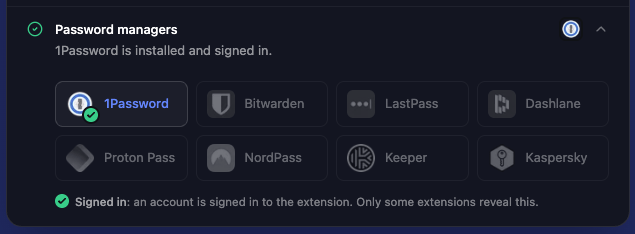
Connect Passkey Intelligence can detect many password managers present in web environments before showing the passkey enrollment screen. When it detects a manager that your Authenticator Policy excludes, it can skip showing the passkey enrollment screen and continue the user’s authenticated journey. This avoids asking the user to create a passkey only to decline it afterward, reducing unnecessary prompts and unusable local credentials. Detection coverage varies by manager, browser and environment. Detecting a manager does not prove which provider the user would select, and an undetected manager may still be present. This check guides the experience; server-side policy evaluation still applies whenever enrollment proceeds. An early skip triggersonSkip with skip-implicit and should be measured separately from a decline after creation.
Try a small preview of password manager detection in our Passkeys Debugger. Expand Password managers to see what it detects in your browser.
When enrollment is declined
The browser or credential manager may save a passkey before Connect receives the registration response. Connect evaluates the policy before accepting that credential for authentication. Declining enrollment therefore prevents its use with your application, but does not prevent the local save.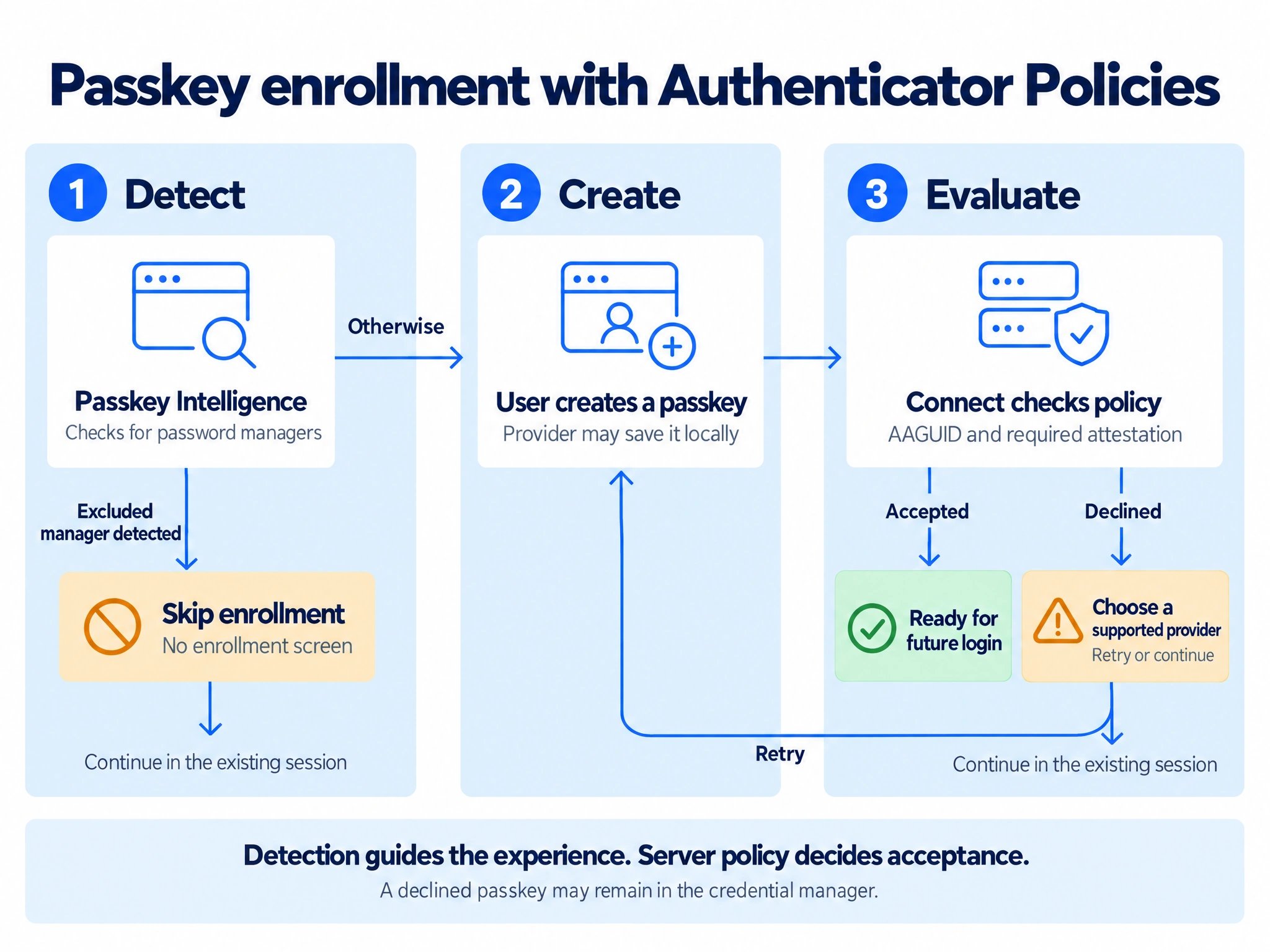
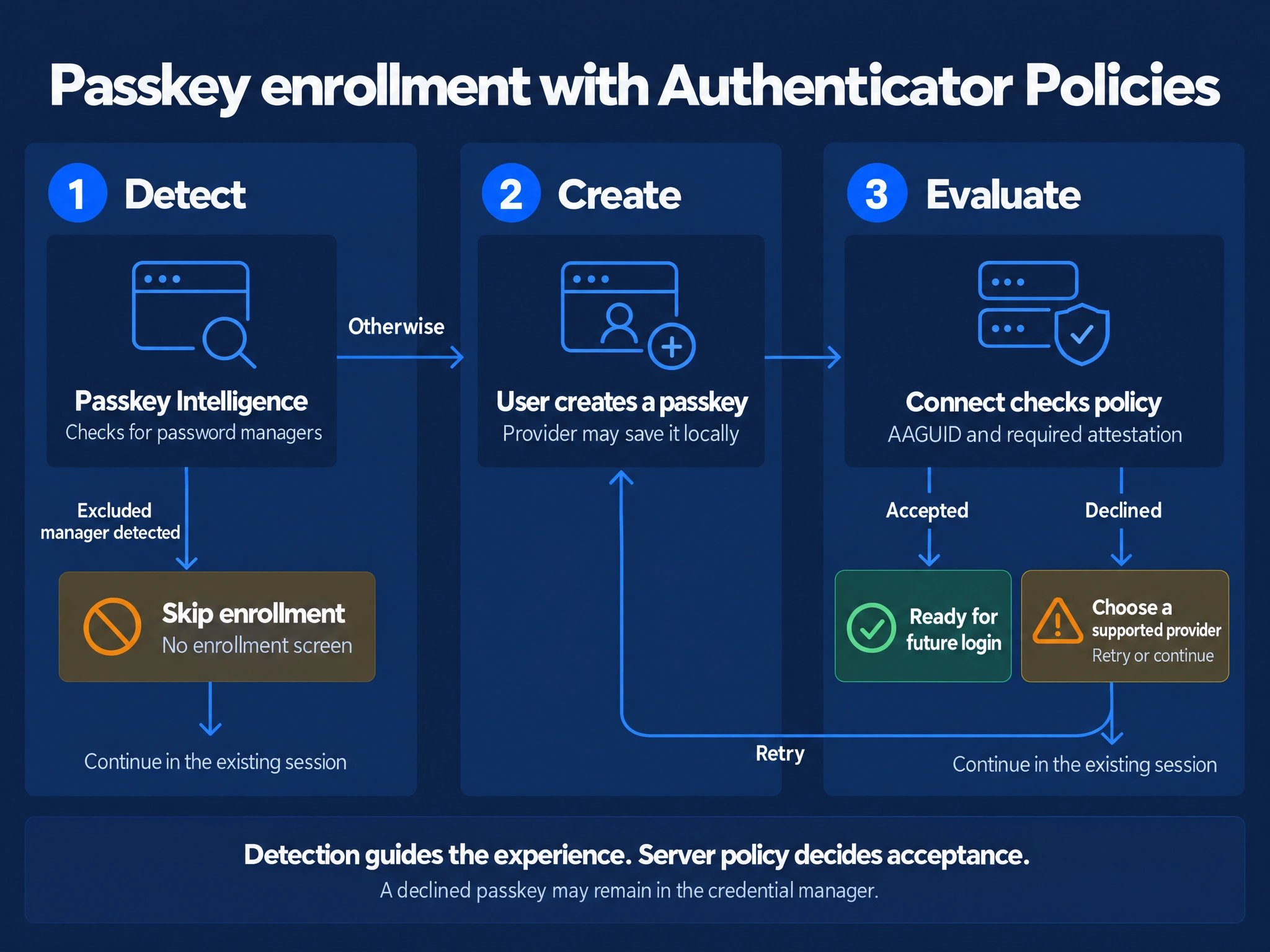
Detection can avoid an enrollment offer. Credentials created afterward still pass server-side policy checks.
View the detailed flow
View the detailed flow