

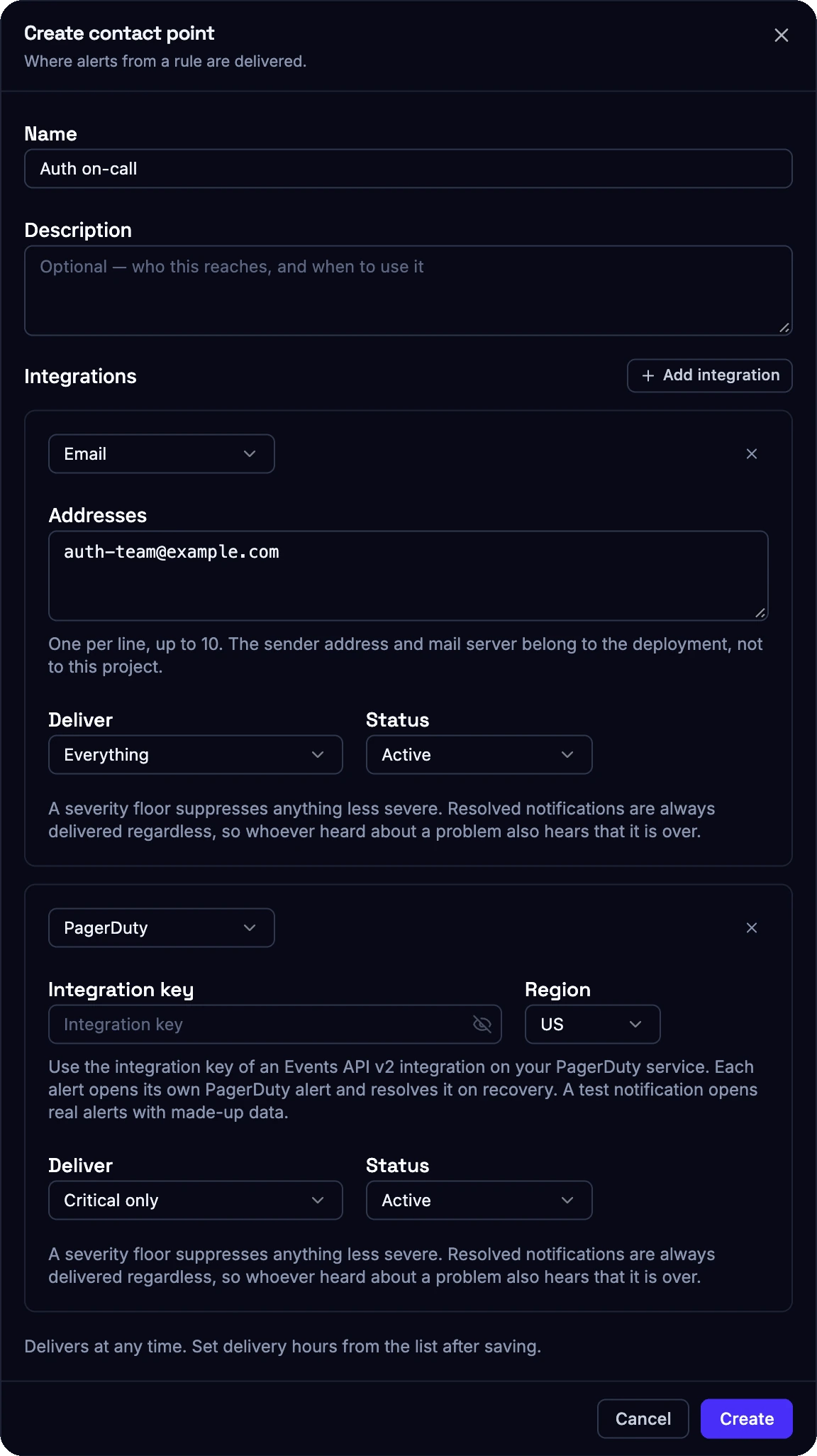
A contact point that emails the team for every severity and opens PagerDuty alerts for critical ones only.
1. What a notification contains
Observe notifies when an alert starts firing, escalates to a higher severity, resolves or loses its data. A notification is sent once per state change. All alerts of one rule that change in the same evaluation are sent together in one message. Each notification names the rule, the severity, the affected groups with their values and thresholds, the evaluated window and a link to the alert in the console. Email notifications can also show the evaluation’s contributing counts and the last 24 hours of values and alert states, using the project timezone. This extra context is limited to ten alerts per message and can be absent when history could not be read. Test emails use made-up data; use the console history to investigate real traffic.2. Integrations
Each integration has its own severity floor: everything, info and above, warning and above, or critical only. A floor suppresses less severe notifications. Resolved notifications bypass the severity floor but remain subject to delivery hours and whether the integration is paused.
Each integration can also be paused without deleting it. Use the test action on a contact point before relying on it. A successful test confirms the delivery path. Rule thresholds are checked in the rule’s history.
Failed deliveries are retried up to three times within 30 seconds. Every attempt, including failures, is recorded in the rule’s notification history.
3. Webhooks
Webhooks follow the Standard Webhooks specification. Every request is a JSONPOST with these headers:
webhook-id: a unique message ID, stable across retries. Use it to deduplicate.webhook-timestamp: the send time in Unix seconds.webhook-signature: an HMAC-SHA256 signature overid.timestamp.body, created with the signing secret shown when you create the integration.
webhook- and transport headers are reserved.
alert.firing, alert.escalated, alert.resolved, alert.no_data and alert.test. Values are numeric. Read rule.unit to tell percentages from counts.
4. PagerDuty
Create an Events API v2 integration on your PagerDuty service and paste its integration key. Each alert opens its own PagerDuty alert and resolves it automatically when the Observe alert recovers. A test notification opens real PagerDuty alerts with example data, so run it against a test service or inform your on-call team first.5. Delivery hours
Delivery hours limit when a contact point notifies. Use the project timezone and up to 10 weekly time ranges in 15-minute steps, for example Monday to Friday from 08:00 to 18:00 for a team without on-call duty. Outside delivery hours, alerts are still evaluated and shown in the console, but notifications are not sent and not queued for later. Use a separate contact point without delivery hours for anything that must reach someone at night, and route only critical rules to it. Delivery hours always use the project timezone; a contact point cannot set its own timezone. To stop judging traffic during quiet local hours, for example nights per market, use business hours on the rule instead.6. Manage alerting through the API
Rules, contact points, alerts, evaluations, transitions and notifications are available through the Observe API. Use an API key withobserve:alerts:read to pull alert history into your own dashboards, and observe:alerts:write to manage rules and contact points as code.