

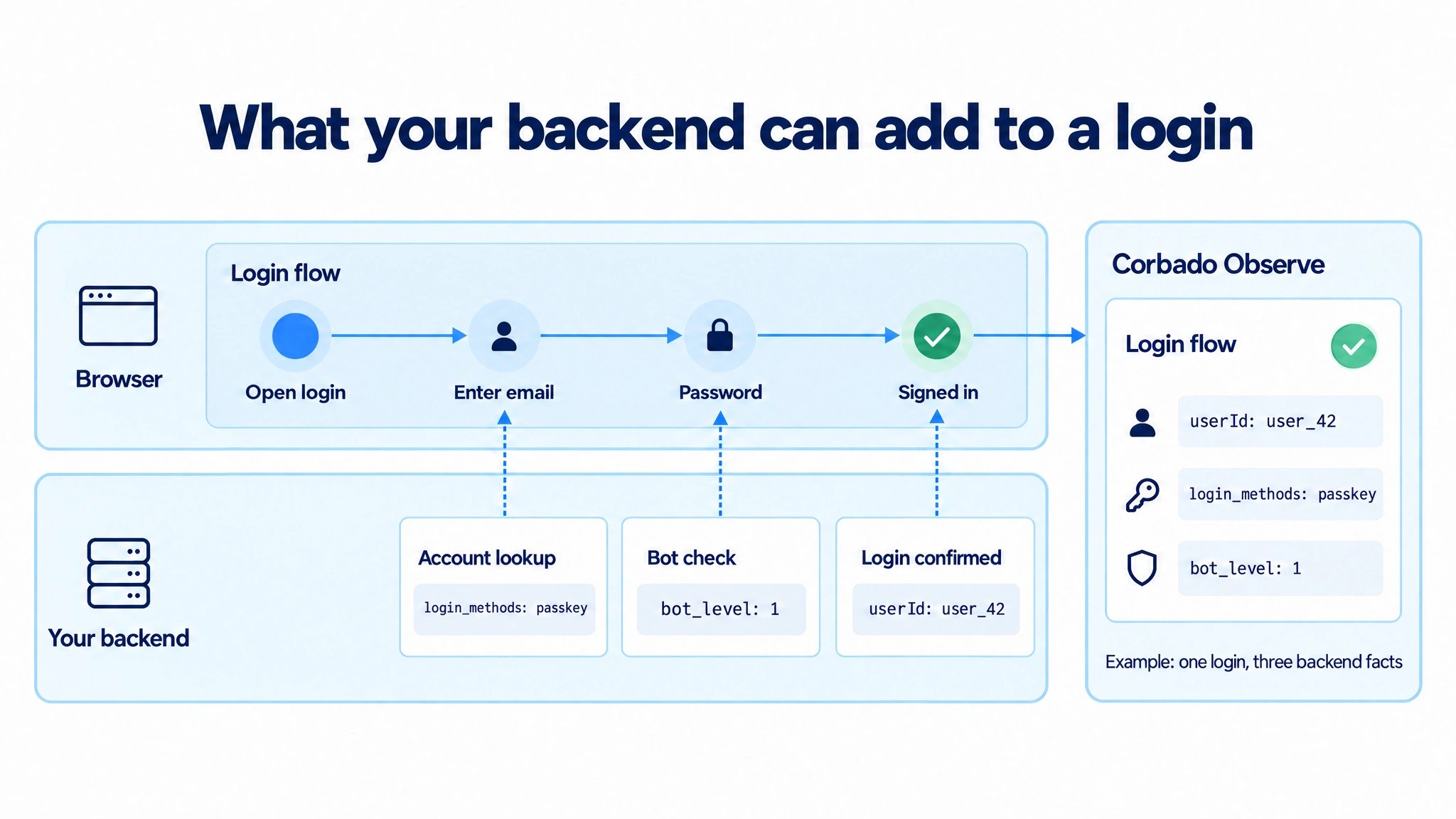
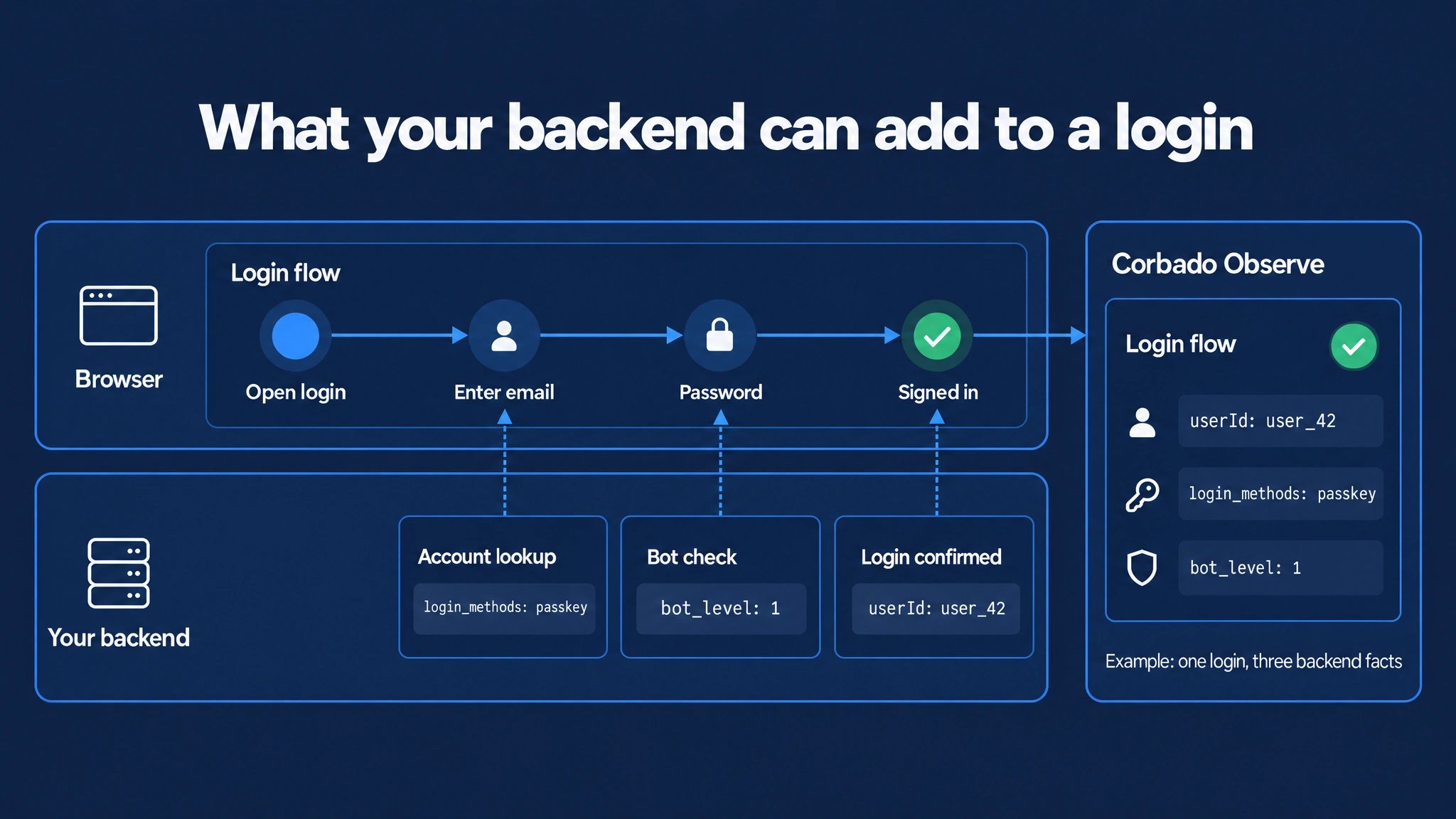
In this example, each backend fact attaches at its own moment of the same login. Observe stores all of them on that one flow.
1. Possible use cases
You can send any fact your backend knows as a user reference, a tag or an experiment assignment. These are common examples; add only what your analyses need:
The user ID is usually the most valuable one. It powers user search, per-user analysis and exports that join your own records. Account login methods turn adoption numbers into a planning basis: they separate users who cannot use a passkey yet from users who have one and do not use it. A bot verdict keeps automated traffic out of your conversion rates.
2. Choose how the value reaches Observe
There are two routes. Both produce the sameflow_enriched event and the same result in analytics.
Prefer the page when the value is already there: it needs no API key and no correlation. With Autocapture, the backend route adds the values without changing your frontend.
Send values that remove traffic from your KPIs, such as a bot verdict, from your backend even if the page knows them. A value set in the browser can be faked, so a bot could mark itself as human.
3. Choose the moment
Send each value when your backend learns it, while the journey runs:- Account lookup: after the user enters an identifier, your backend checks whether the account exists. It knows the account’s login methods at this point. Use
"at": "during". - Bot or risk check: send the verdict with the time of the check. Run the check while the login is in progress, not on page load before it starts. Use
"at": "during": the defaultfinishedonly reaches journeys that finished, so blocked or abandoned attempts would get no verdict. - Login confirmed: your backend knows the authenticated user. Use the default
"at": "finished".
4. Connect the backend to the journey
Skip this section if you send from the page. A backend request has to identify the browser session. Set exactly one of these fields:
A good shared ID is one your page already sends to your backend, such as a request, correlation, debug or support ID per attempt in UUID format. Use one ID per attempt, not per user. Never use a secret such as a session token or the token of a bot check.
1
Create an API key
Create a key with permission
observe:events:write under Observe → Settings → API keys. Keep it in your backend. See authentication.2
Share the ID from the browser
With the transaction ID, record it on the open login flow:With the session ID, read it and send it with your login request instead:If the session ID is empty, your backend skips the enrichment.
3
Send events from your backend
Post to
https://api.cloud.corbado.io/v1/observe/events with the key as bearer token. The examples in section 5 show the request body. Use a new event id per event and keep it on retries: retries with the same transaction ID and event id are deduplicated. The request may arrive before or after the browser events.5. Examples
- User ID
- Account login methods
- Bot verdict
Send the authenticated user when the login is confirmed.From the page:From your backend:Without
data, the event matches the login finishing nearest to that time. You can send a hash as userId; see user references.6. Example in detail: bot verdict
Bot detection is the typical value that never reaches the browser. The detection service scores the attempt and returns the result to your backend only. Your other analytics tools usually receive it the same way, through a backend export.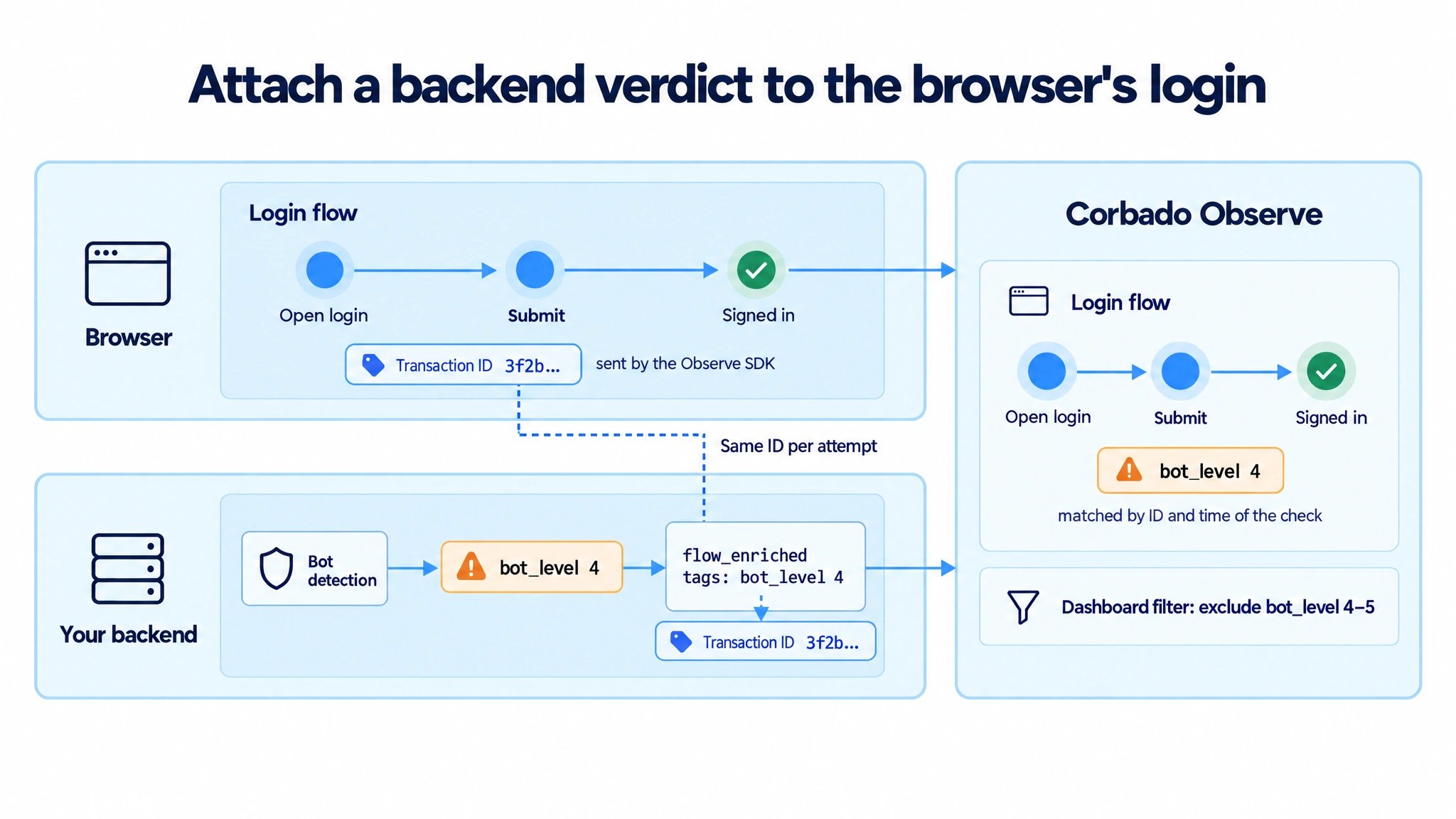
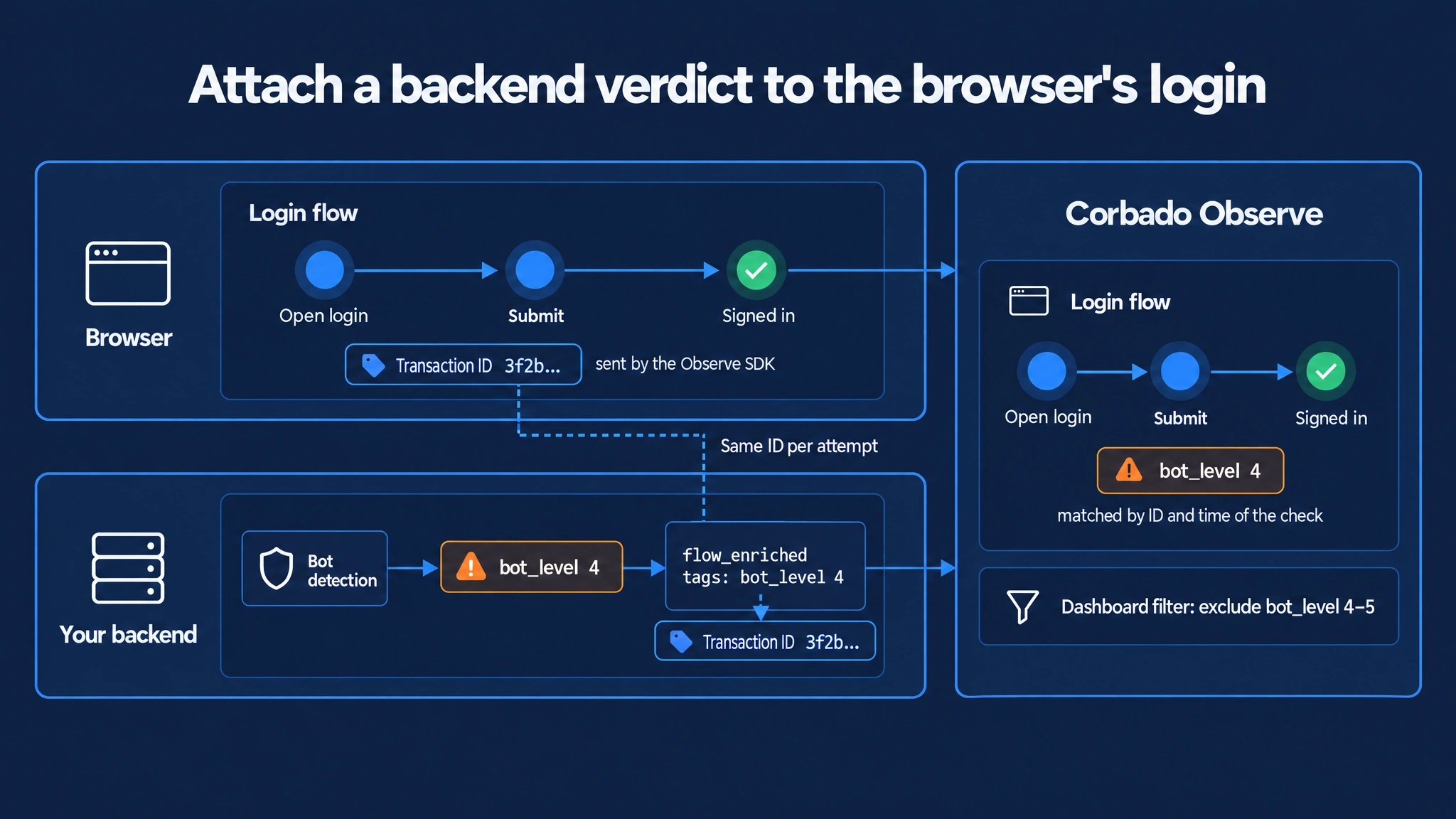
The browser and your backend share one transaction ID per attempt. Observe uses it to attach the backend verdict to the login running at that time.
- Map the verdict: send a level or category, not a raw score or the vendor response. Agree which levels count as bots, for example 4 and 5.
- Send one event per check: use the time of the check as
timestamp. If a journey has several checks, the last level wins. - Add your decision (optional): send what your backend did with the attempt, for example
risk_actionwithallow,challengeorblock. This separates attempts you blocked from attempts where the user failed. - No verdict, no event: if the check did not run, send nothing. The journey then carries no level and stays in your KPIs.
- Filter in analytics: save a filter that excludes the bot levels, so dashboards match the bot filter of your other analytics tools.
7. How Observe matches the event
Observe attaches each enrichment to the journey that runs at the time of the event, by default the login. Small clock differences between browser and backend are tolerated. If a value arrives twice, the latest one wins. If no journey matches, the value is dropped. You can choose another flow type or target a specific browser event instead. The Create new events reference lists all options.8. Test before a production rollout
You can test the backend route without deploying it:- Run your login page locally with the Observe SDK pointed at a test project.
- Complete a login and note the transaction ID or session ID.
- Send the example requests from section 5 with test values, for example
bot_level: "5". - Open the flow in Observe → Debugging → User search and check the user and tags.
9. Use the result in analytics
User IDs work in user search and exports without further setup. Enriched tags behave like any other tag: ask Corbado to add the key to the relevant time series, then filter or segment by it.- Values: short, predictable, lowercase strings.
- Missing values: leave the key out instead of sending
unknown. - No personal data: never send IP addresses, locations, network providers or device fingerprints as tags.
10. Next steps
- Continue with User references for the user model and hashing.
- Continue with Tags for tag limits and analytics configuration.
- See Create new events for the full request schema.